The Front Desk Is the First Impression — and So Is the Resume That Gets You There
A hiring manager knows that. So they read your resume looking for proof you can hold all three at once. That proof is numbers, systems, and the setting you worked in. This guide gives you a full example to copy, the wording for a real front desk day, and the one mistake that ends a receptionist application faster than any other. If this is your first resume, our step-by-step resume guide covers the basic layout first.
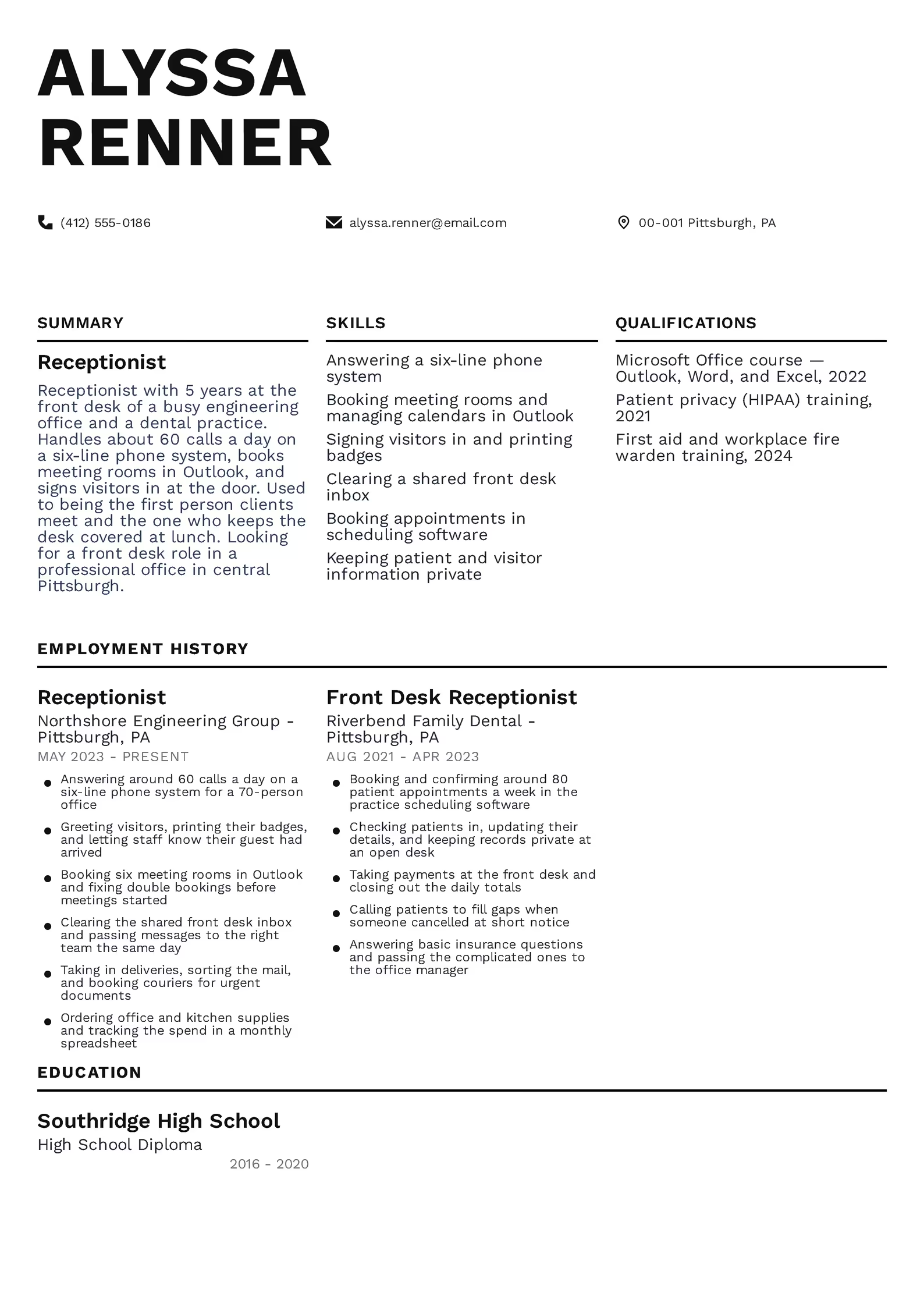
A Complete Receptionist Resume on One Page
Two things carry it. First, almost every line has a number in it — calls a day, meeting rooms, appointments a week, size of the office. Second, the systems are named: Outlook, the phone system, the practice scheduling software.
Her education is a high school diploma, and that is normal for this job. She gave the space to short courses instead, each with a year. Swap in your own office, numbers, and systems and keep the shape.
Resume Example — Receptionist
Alyssa Renner
Pittsburgh, PA
Receptionist with 5 years at the front desk of a busy engineering office and a dental practice.
Handles about 60 calls a day on a six-line phone system, books meeting rooms in Outlook, and signs visitors in at the door.
Used to being the first person clients meet and the one who keeps the desk covered at lunch.
Looking for a front desk role in a professional office in central Pittsburgh.
Receptionist
Northshore Engineering Group, Pittsburgh, PA
05.2023 – Present
Front Desk Receptionist
Riverbend Family Dental, Pittsburgh, PA
08.2021 – 04.2023
High School Diploma
Southridge High School, Pittsburgh, PA
2016 – 2020
Sixty Calls, Six Meeting Rooms, Eighty Appointments — Put Numbers on Your Day
So count your day and put those counts on the page. Calls answered, visitors signed in, appointments booked, rooms managed, emails cleared, size of the office. “Answering around 60 calls a day” gives a manager a picture. “Answering phones” gives them nothing.
You do not need exact figures. Nobody expects a log. A fair estimate with the word “around” in front of it is honest and useful. Count a typical day this week and use that.
If you have worked at several desks, you do not need to describe them all the same way. Give your last two or three roles a few detailed lines and let older jobs sit in one line each.
A Front Desk Day and How to Write It With Numbers
| Front desk task | What it involves | How to write it with a number |
|---|---|---|
| Answering calls | taking, screening, and transferring calls all day | Answering around 60 calls a day on a six-line phone system |
| Greeting visitors | signing people in, printing badges, offering coffee | Signing in around 25 visitors a day and printing their badges |
| Announcing arrivals | telling the right person their guest is waiting | Letting staff know their visitor had arrived within a minute |
| The shared inbox | the front desk email address everyone writes to | Clearing a shared inbox of about 40 emails a day |
| Meeting rooms | bookings, double bookings, setting the room up | Booking six meeting rooms in Outlook for a 70-person office |
| Mail and deliveries | sorting post, signing for parcels, arranging couriers | Sorting daily mail and taking in around 15 deliveries a week |
| Supplies | ordering, chasing, tracking what was spent | Ordering office and kitchen supplies on a monthly budget |
| Appointments | booking, confirming, filling cancellations | Booking and confirming around 80 appointments a week |
| Payments | taking payments and balancing at the end of the day | Taking payments at the desk and closing out the daily totals |
| Covering the desk | lunches, holidays, being the one person who is always there | Covering the front desk alone at lunchtime and during holidays |
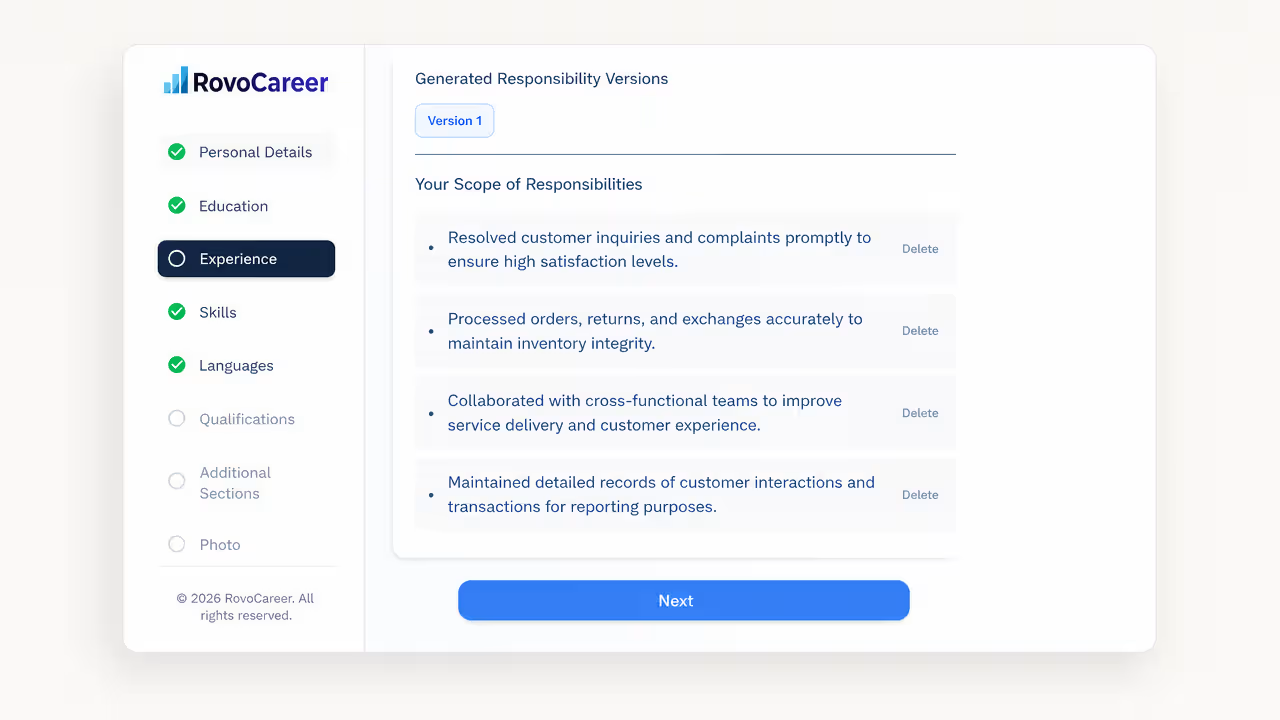
Not sure how to word your front desk day? Start from ready-made duty lines in the resume builder and add your own numbers.
Build Your Resume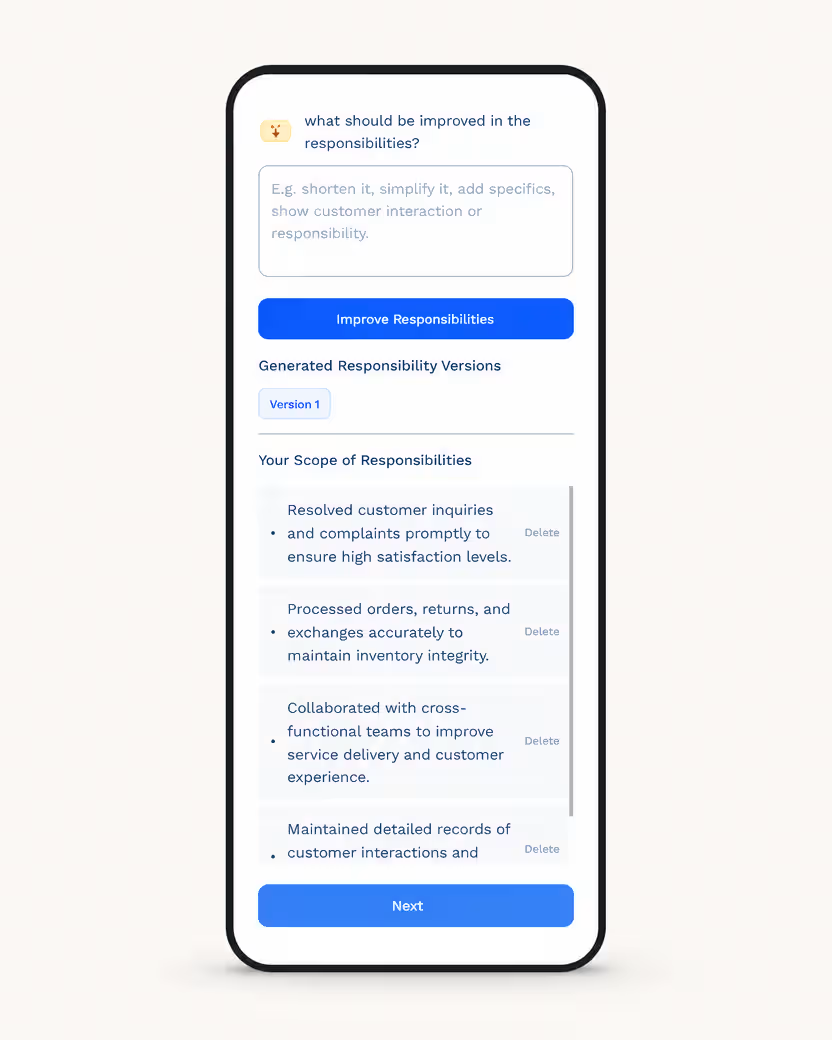
Outlook, the Phone System, and the Sign-In Tablet — Name the Systems You Have Used
Three terms turn up in most job postings. A multi-line phone system is a desk phone that handles several calls at once, so you can hold one caller and answer another. A shared inbox is one email address the whole office writes to, like info@ or reception@. A visitor sign-in system is usually a tablet at the desk that prints a name badge.
Say what you did in each one, not just the name. “Booking meeting rooms in Outlook” is specific. “Microsoft Office” on its own tells a manager nothing.
Systems and Software to Name on a Receptionist Resume
| System | What you use it for | How to write it |
|---|---|---|
| Multi-line phone system | taking, holding, and transferring several calls at once | Answering a six-line phone system and transferring calls |
| Outlook calendar | booking meetings, rooms, and keeping diaries straight | Booking meeting rooms and managing calendars in Outlook |
| Shared front desk inbox | the one email address the whole office writes to | Clearing the shared front desk inbox every day |
| Visitor sign-in tablet | signing guests in and printing name badges | Signing visitors in on a tablet system and printing badges |
| Word and Excel | letters, notices, supply lists, tracking spend | Tracking supply spend in a monthly Excel sheet |
| Appointment scheduling software | booking clients or patients and sending reminders | Booking and confirming appointments in scheduling software |
| Patient or client records | checking people in and updating their details | Updating patient details at check-in |
| Card payment terminal | taking payments and balancing the day | Taking card payments and closing out daily totals |
| Teams or Slack | telling staff their visitor or delivery has arrived | Messaging staff on Teams when their visitor arrived |
| Courier and mail portals | booking pickups and tracking parcels | Booking couriers for urgent documents |
Dental Office, Law Firm, Hotel Front Desk — the Setting Changes the Resume
A medical or dental front desk runs on appointments, patient privacy, and insurance questions. Mention scheduling software, check-ins, and any privacy training. A co-pay is the part of a bill the patient pays themselves, and knowing how to explain one is worth a line.
A law firm or professional office runs on discretion and documents. Mention confidential files, couriers, and meeting rooms. A hotel front desk runs on check-ins, check-outs, and shifts — say if you can work evenings, nights, or weekends. A salon or spa runs on bookings, cancellations, and selling products at the desk.
If you are moving between settings, say so plainly in your summary. A dental receptionist applying to a law firm should point at what carries over: the phone volume, the diary, the discretion.
Which Front Desk Skills to List When Everyone Writes “Good Communicator”
So write each skill as an answer. The manager wonders whether the phone gets answered when it is busy. “Answering around 60 calls a day” settles it. They wonder whether you can be trusted with what you overhear. “Keeping patient and visitor information private at an open desk” settles that.
Skills to List on a Receptionist Resume
| What a manager quietly worries about | The line that answers it |
|---|---|
| Will the phone get answered when it is busy? | Answering around 60 calls a day on a six-line phone system |
| Will visitors be handled properly? | Signing visitors in, printing badges, and announcing arrivals |
| Can you keep the diary straight? | Booking six meeting rooms in Outlook and fixing double bookings |
| Do emails get answered the same day? | Clearing the shared front desk inbox every day |
| Can you be trusted with what you overhear? | Keeping patient and visitor information private at an open desk |
| What happens when someone is upset? | Calming upset callers and passing difficult cases to the office manager |
| Can you hold the desk on your own? | Covering the front desk alone at lunchtime and during holidays |
| Will the office run out of paper and coffee? | Ordering office and kitchen supplies on a monthly budget |
| Can you write a decent email? | Writing client emails and office notices for the office manager |
| Will you stay? | Five years at the front desk across two employers |
| Can you take on more than reception? | Helping with expense forms and paperwork for new starters |
| Do you already know the systems? | Using Outlook, Excel, and a tablet visitor sign-in system daily |
The Short Paragraph That Introduces You Before You Reach the Desk
Four sentences is enough. How long you have worked a front desk. What kind of office. One number that shows the volume. And what you are looking for now — full time, part time, mornings, or a particular part of town.
Skip “people person” and “excellent communication skills.” Everyone writes them, so they carry no weight. A call count and the name of your phone system do the same work with evidence behind them.
Typos, Fonts, and the Email You Attach It To — Your Resume Is a Work Sample
So do three passes. Run the spellcheck. Read it out loud, which catches the words spellcheck misses, like “form” instead of “from.” Then ask one other person to read it. Check that your dates are written the same way all the way down, that you use one font, and that every bullet point ends the same way.
Then check the things around the resume. Use a plain email address built from your name, not a nickname from school. Set up your voicemail, because this job gets phone screens. Write the application email like an office email: a clear subject line, a proper greeting, two short sentences, and your name at the bottom. A short cover letter works even harder here, because it is a second sample of your writing.
“Answered Phones and Greeted Guests” — Why That Line Gets Skipped
1. No numbers. Calls a day, visitors a day, appointments a week, size of the office. Without them a manager cannot tell a quiet desk from a busy one.
2. No systems named. Outlook, the phone system, the sign-in tablet, the scheduling software. These are the words a manager searches for.
3. No setting. Dental, legal, hotel, salon, and corporate front desks are different jobs. Say which one you know.
4. Typos. In this job specifically, one misspelling can end the application. It reads as a preview of your emails.
5. Nothing about discretion. You sit where private conversations happen. One line about keeping information private is worth having.
6. Hiding the extra work. Expenses, new starter paperwork, ordering, minutes of a meeting — that is what turns a reception job into an office admin career.
7. Only writing “Microsoft Office.” Say which parts and what you did in them.
8. A joke email address or a voicemail that is not set up. Both get noticed for a front desk role.
A Final Check Before Your Resume Reaches the Front Desk
Numbers are on it — calls a day, visitors, appointments, meeting rooms, the size of the office.
Systems are named — the phone system, Outlook, the sign-in tablet, the scheduling software.
The setting is clear — medical, legal, hotel, salon, or corporate — and it matches the posting.
It is spotless — spellchecked, read aloud, and read by one other person. Keep it to one page, list your last two or three desks, and make sure your email address and voicemail are ready for the call.
Reception is a job where being organized has to be visible from the doorway. Let the page show it. Our complete resume guide covers the rest of the layout.
Want a tidy, professional one-page layout? Pick one from our template library.
Build Your Resume
Frequently Asked Questions
Use the jobs where you already did the same things. Retail, cafe work, a call center, or a school office all involve greeting people and handling questions. Write them with front desk words: taking calls, booking appointments, dealing with complaints, handling payments. Add anything you know about the systems, such as Outlook, Word, and Excel, and take a short office skills course if you can. Then say in your summary that you are looking for a first front desk role.
No. A high school diploma is the usual requirement, and many offices ask for nothing more than experience with people and computers. An office administration certificate helps but is rarely required. Put education in one short line near the bottom and use the space for your systems and your numbers. Reception is often a way into office administration, so short courses you take later count for more than a degree you do not have.
Estimate, and use the word around. Count a typical day this week: how many calls, how many visitors, how many emails. Add the size of the office and the number of meeting rooms or treatment rooms, since those are easy to check and easy to remember. Nobody expects a logbook, and no manager will challenge a fair estimate. What they will notice is a resume with no sense of scale at all.
Yes. Naming your systems shows you learn software rather than avoid it, and many offices use the same handful anyway. Write what you did in each one, for example booking meeting rooms in Outlook rather than just Microsoft Office. If you used a scheduling or records system with a brand name, list it and add what you used it for. A manager will assume you can pick up their version in a week.
More than in almost any other job. A receptionist writes emails to clients and notices that go to the whole office. Your resume is the first sample of that writing, so a spelling mistake reads as a preview. Run the spellcheck, read the page out loud to catch words the spellcheck misses, then have one other person read it. Check the small things too: the same date format all the way down, one font, and matching bullet points.
Yes, and it is worth saying which one you know. Medical and dental desks run on appointments, patient privacy, and insurance questions, so scheduling software and privacy training matter. Corporate desks run on visitors, meeting rooms, deliveries, and supporting the office manager. Hotel desks add check-ins, check-outs, and evening or night shifts. If you are switching between them, point at what carries over: phone volume, the diary, and discretion.
Definitely. Those lines are what separate a receptionist resume from a starter one, and they are how the job grows into office administration. List things like expense forms, new starter paperwork, taking notes in meetings, booking travel, or managing a supplies budget. Keep each one to a single line so the front desk work still comes first. If you are aiming at an office administrator job next, these lines are the bridge.
One page. List your last two or three front desk jobs with four to six lines each. Older or shorter roles can be one line with the job title, employer, and years. Avoid heavy two-column designs, because the resume-screening software many offices use can scramble them. A clean single column with clear headings reads well on a screen and prints cleanly at the desk.
Read Also
Ready for your own resume?
Go to the builder and start with the first step in seconds.
Create Resume