★★★★★
I used to struggle with Word and the formatting kept falling apart. Here everything was ready, and after swapping in my content the resume looked very professional.
Megan, Administrative Specialist
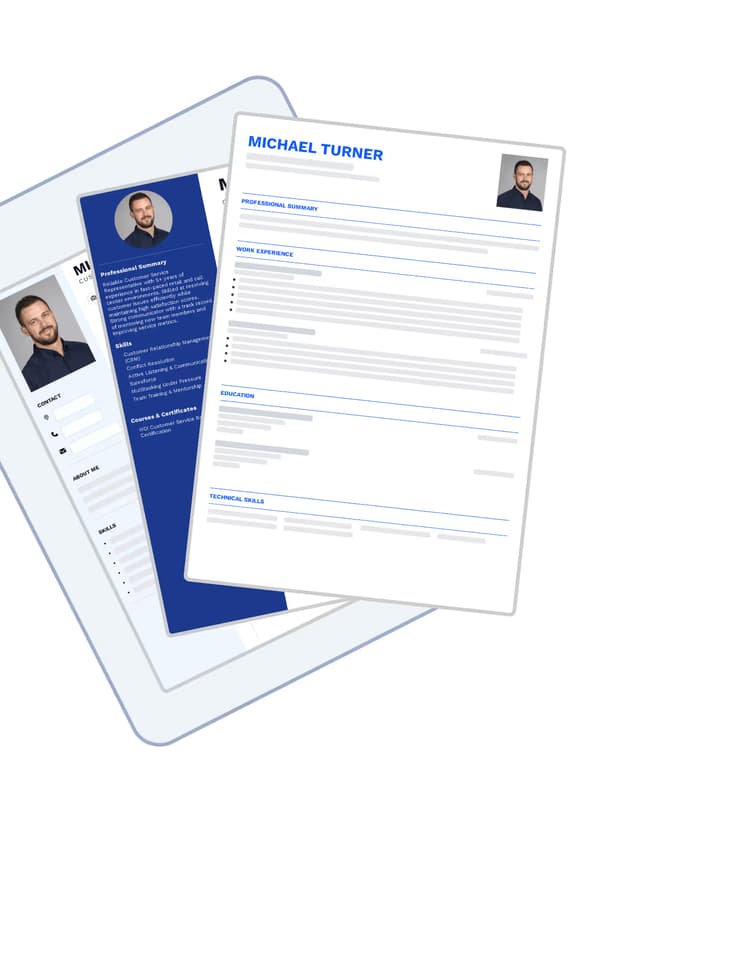
The best resume generator, built together with career experts. Don't waste time on ineffective methods, try building your resume for free. Choose the solution that supports you in landing your dream job.
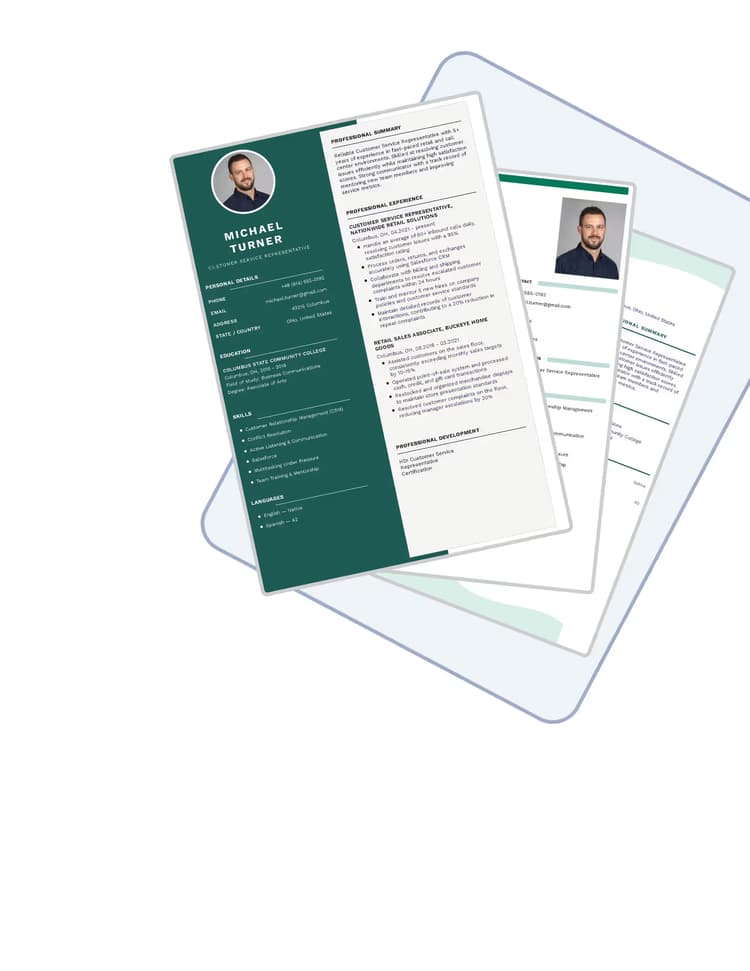
The resume builder combines an intuitive editor with expert recruitment knowledge — the result is a document that works and makes a great first impression.
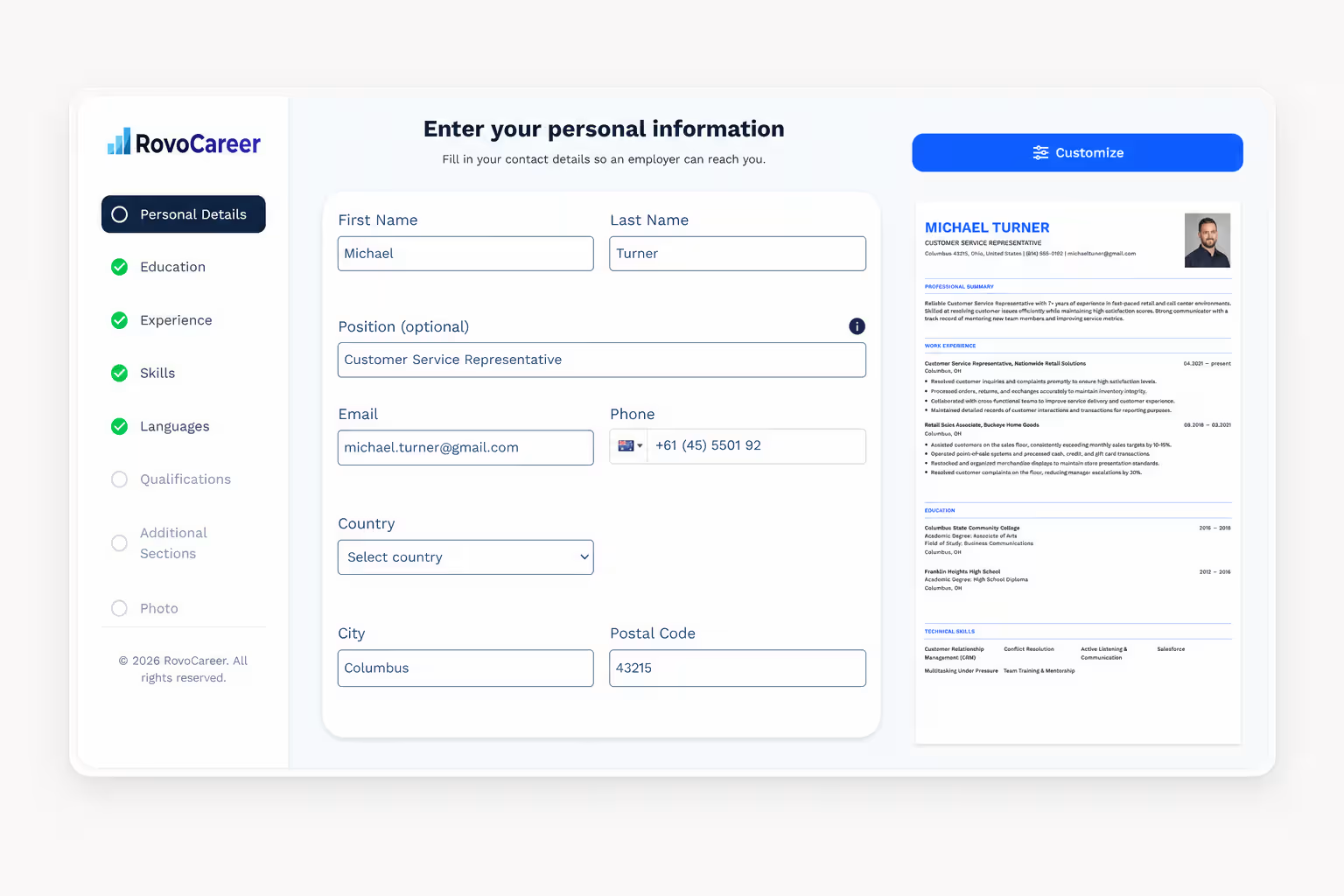
The resume builder is a browser-based tool that guides you through every stage of building a document. You start by choosing a template, then fill in your details in the following sections, and finally download the finished file as a PDF — no formatting, no Word.
In every field, the builder suggests what to enter and how to phrase it so your resume looks professional. The suggestions are AI-generated and tailored to the position you're applying for, so you never start from a blank page.
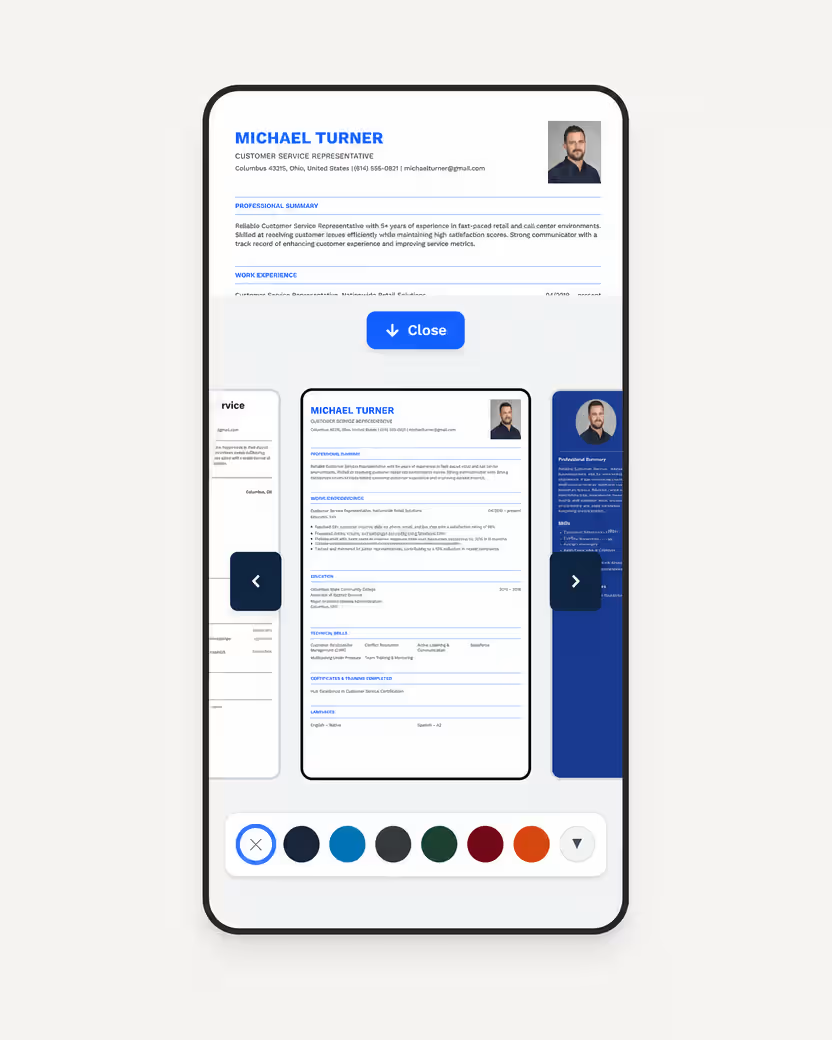
Not sure which template to choose? Browse the available resume templates prepared by job market experts — every layout is suited to a different industry and experience level.
The whole process happens in your browser. Nothing to install, no fighting with margins, and no worrying that one extra sentence will push your layout onto a second page.
Start from a blank document or import the file you already have. The import moves your content into the builder's sections, so you never retype anything.
The builder walks you through contact details, experience, education and skills. Every field shows example phrasing and a note on what recruiters expect to find there.
Your document is typeset next to the form as you write. You can see exactly how much space each section takes and whether the resume still fits on one page.
The export keeps your layout intact on any system or device. You can come back at any time to prepare a version tailored to the next job posting.
One account takes you from a blank page to a submitted application. No jumping between five different services, and no paying separately for every document.
You fill in the form and the document is typeset beside it. You can see straight away whether the resume still fits on one page.
11 letter layouts matched visually to the resume templates. Your documents look like one set rather than something assembled from two sources.
Paste in the advert and see which keywords your document is missing.
The whole document in another language, layout and formatting intact. No retyping and no pasting into a translator.
Samples across 11 industries — from warehouse operative to accountant. See what belongs there before you start writing your own.
Download as many versions as you need. No per-file charge and no document counter.
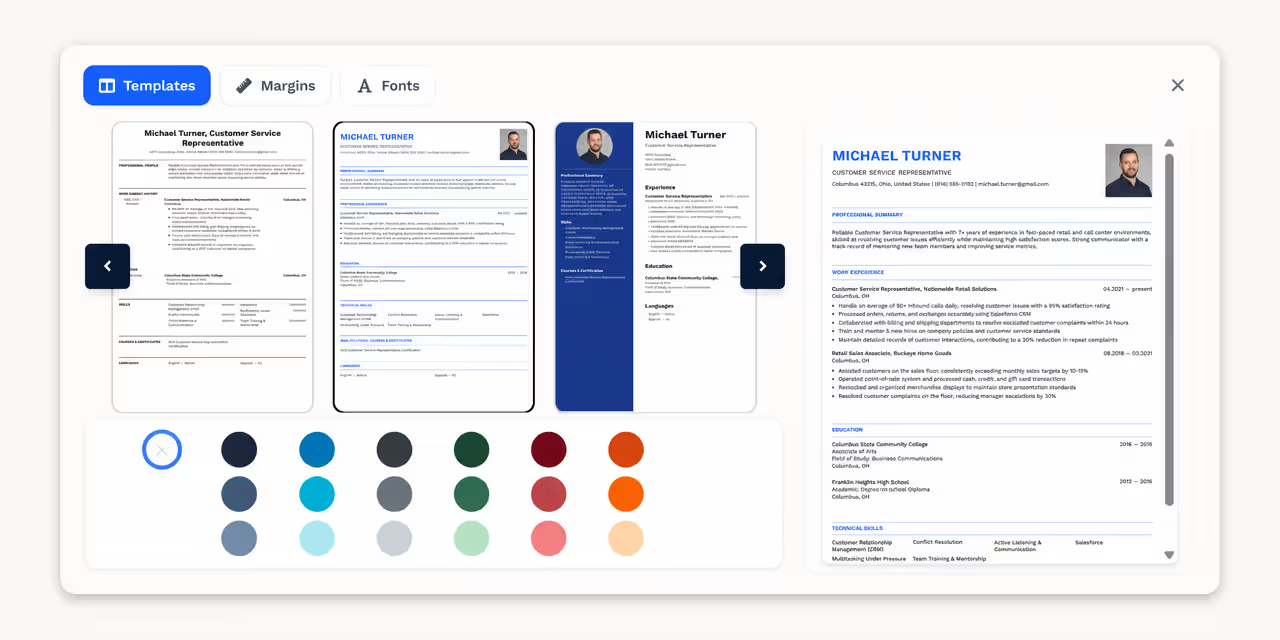
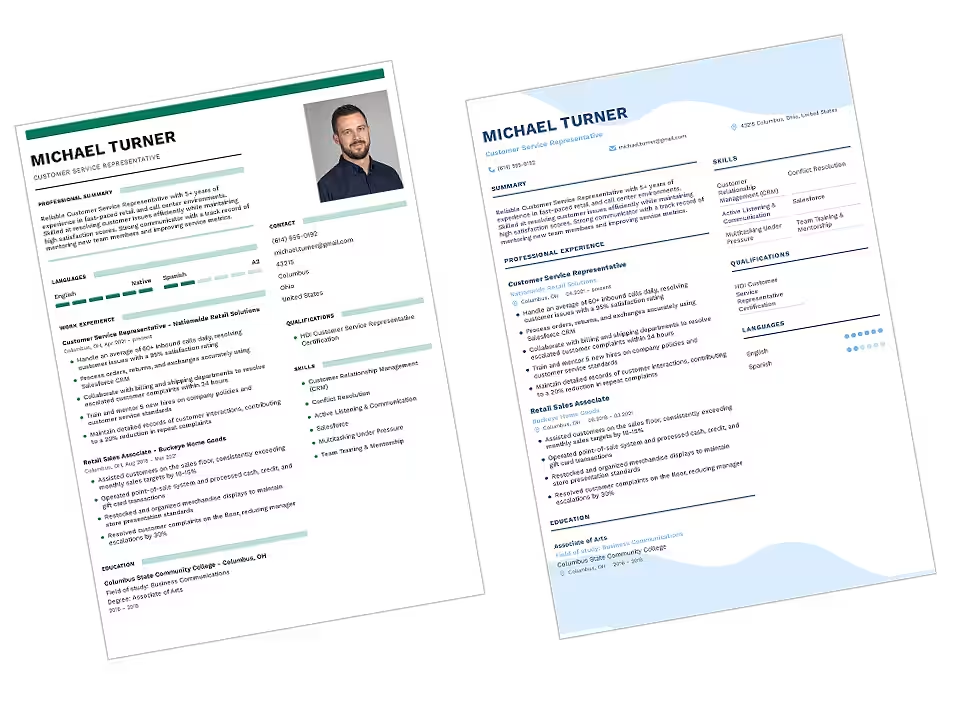
The resume builder offers a dozen or so layouts designed for specific industries and experience levels — from junior positions to management roles. Every template is clear, aesthetically pleasing, and adapted to ATS requirements.
The templates differ in column layout, typography, and how sections are presented, so you can choose a style matched to your profession — a designer's resume looks different from an engineer's or an HR specialist's.
In the builder, you can change templates with one click without losing your filled-in data — you can freely compare document appearances and decide which layout best presents your experience.
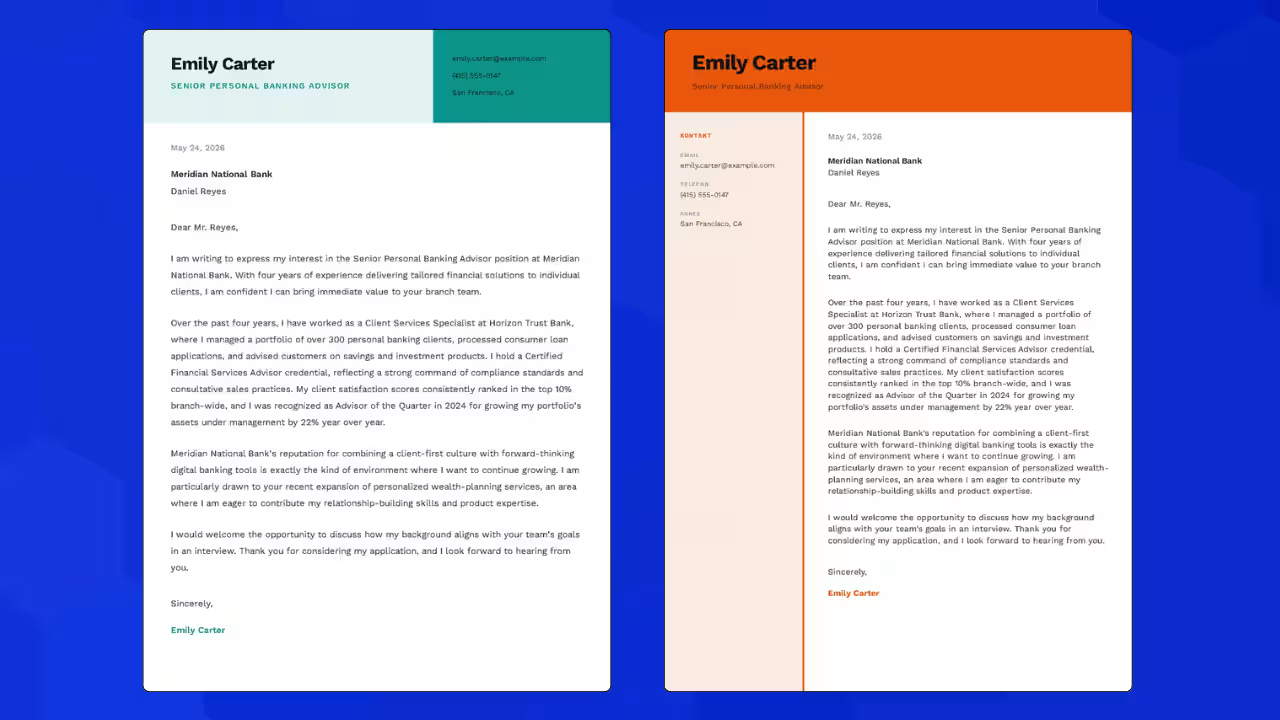
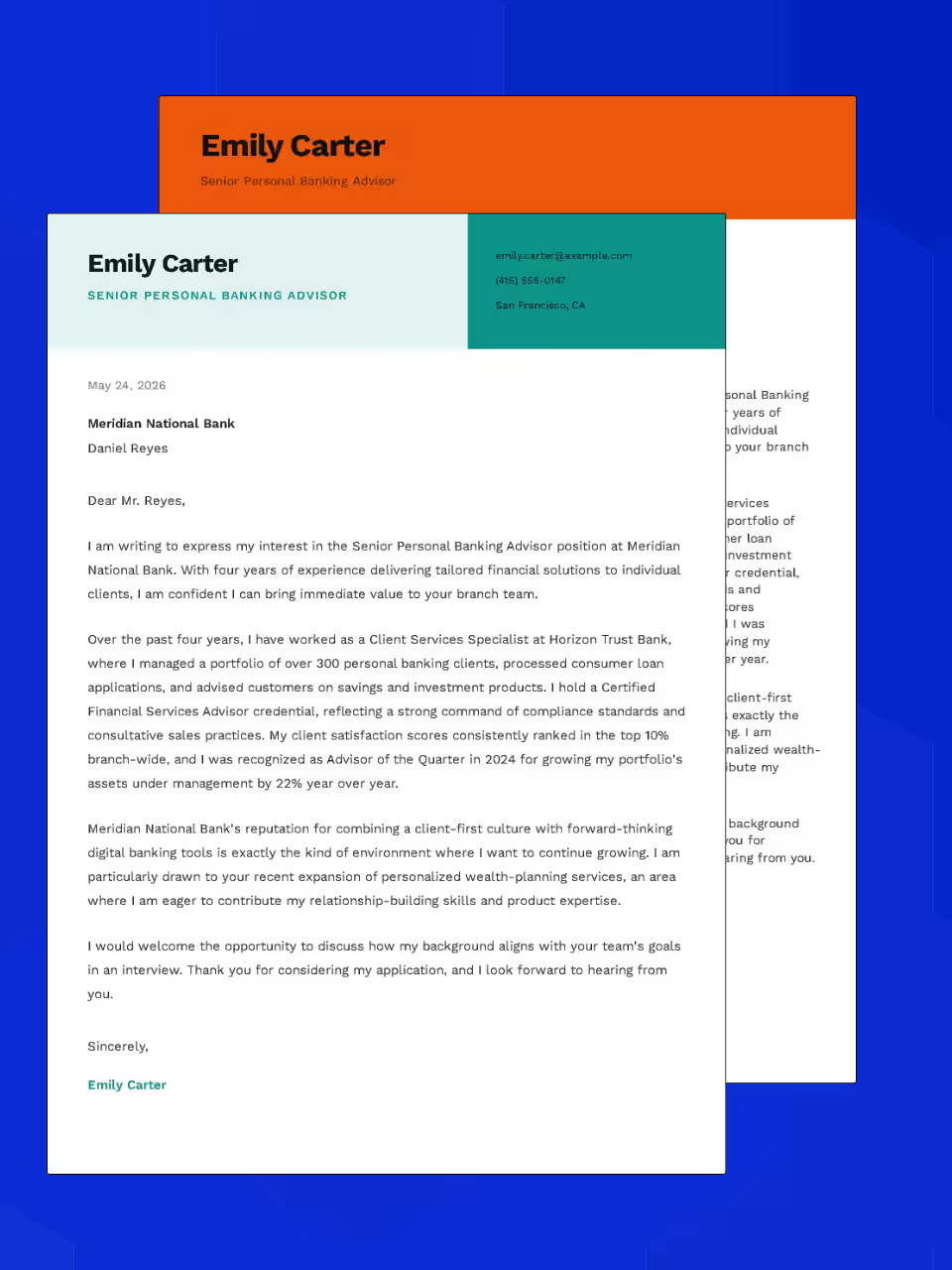
A recruiter opens both documents at once. If the resume looks current but the letter looks like it came out of a decade-old Word file, the whole application loses credibility — and that is the first impression you actually control.
At RovoCareer the cover letter is written in the same builder and reuses the details you have already entered. The contact header, typography and colours are shared with your chosen resume template, so the pair looks like one set from the start.
You get 11 letter layouts and ready-made example content for different situations: a first job, a change of industry, a return after a career break. You never start from a blank page wondering how to open.
Applying to the Netherlands, Norway or Germany? You do not have to retype the document from scratch or paste it piece by piece into a translator and hope the layout survives.
The builder translates the entire resume — professional summary, duty descriptions, job titles and section names — while keeping your template, ordering and formatting. You get a finished document in the new language, not raw text to lay out by hand.
The original stays where it was. You can keep both versions side by side and send whichever one fits the role you are applying for.
One generic resume sent everywhere loses to a version written for the posting. The catch is that tailoring each application by hand takes hours — so almost nobody does it.
Paste in the advert and the tool compares it with your document, showing which competencies and keywords are missing. These are the same words an ATS looks for first, before your resume ever reaches a human.
You make the edits in the builder and download a separate version for that role. The next application takes minutes again, not another evening.
The hard part of writing a resume is rarely the formatting. It is the question of what to actually put in it. That is why the builder comes with complete examples for specific roles.
Each example is a full document: a professional summary, duty descriptions phrased the way recruiters want to read them, and the skills typical of that role. The examples span 11 industries — construction, logistics, manufacturing, retail, hospitality, care and education, healthcare, finance, trades, administration and IT.
Find your job title, see what works in it, and carry that across into your own document in the builder.
Ready to open the builder?
Start creating a resume for free. No registration, no credit card.
Open Resume Builder →A professional resume builder isn't just a tool for writing from scratch. It also lets you upload an existing document and transform it into a modern resume that meets recruiters' expectations.
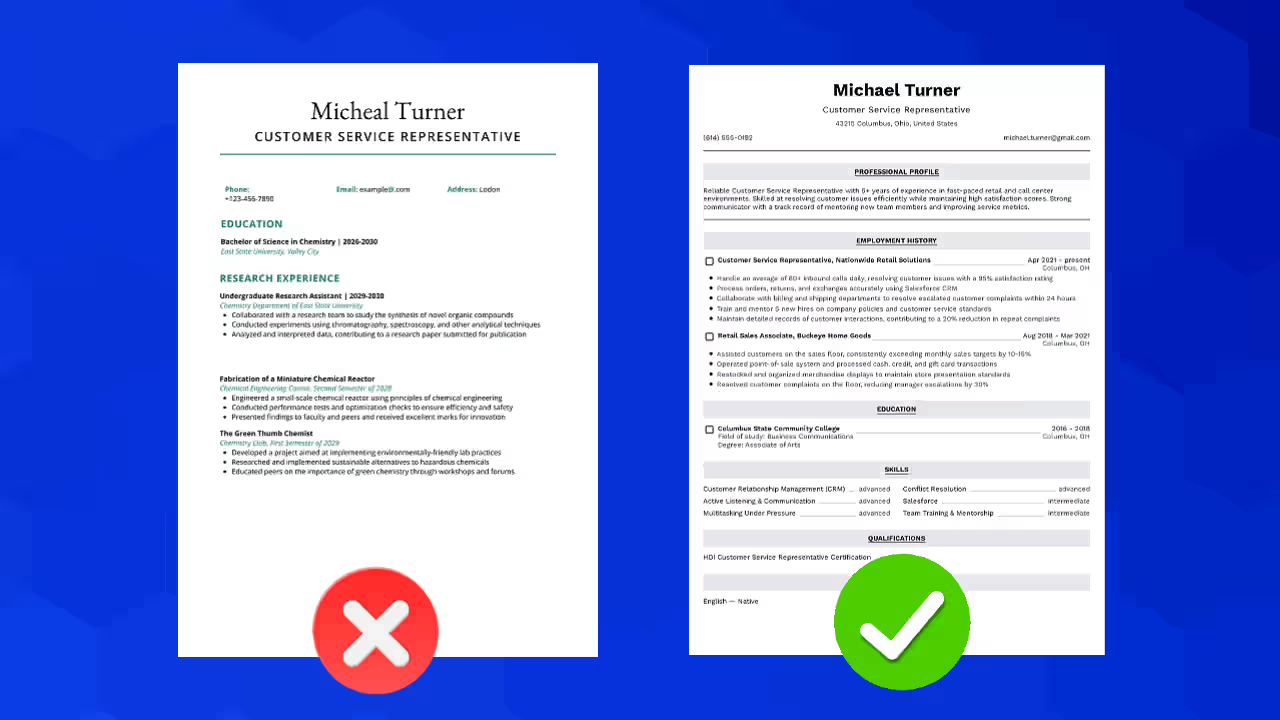
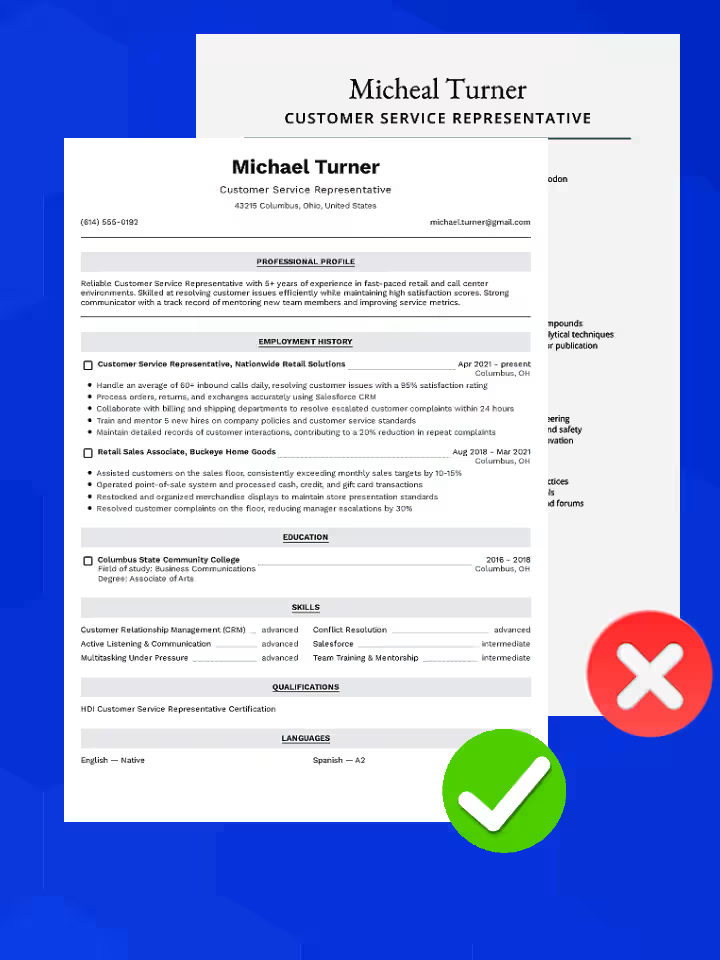
You don't start from zero – the resume builder lets you import an existing document. The content is automatically transferred to the editor, where you can organize and modernize it without manual rewriting.
After importing, our online resume builder lets you modify every section, change the order of blocks, and adjust the layout for a specific job listing. Everything happens in one window, without needing to install any additional programs.
Many users upload their existing documents just to check what can be improved. The resume builder clearly points out which sections need strengthening.
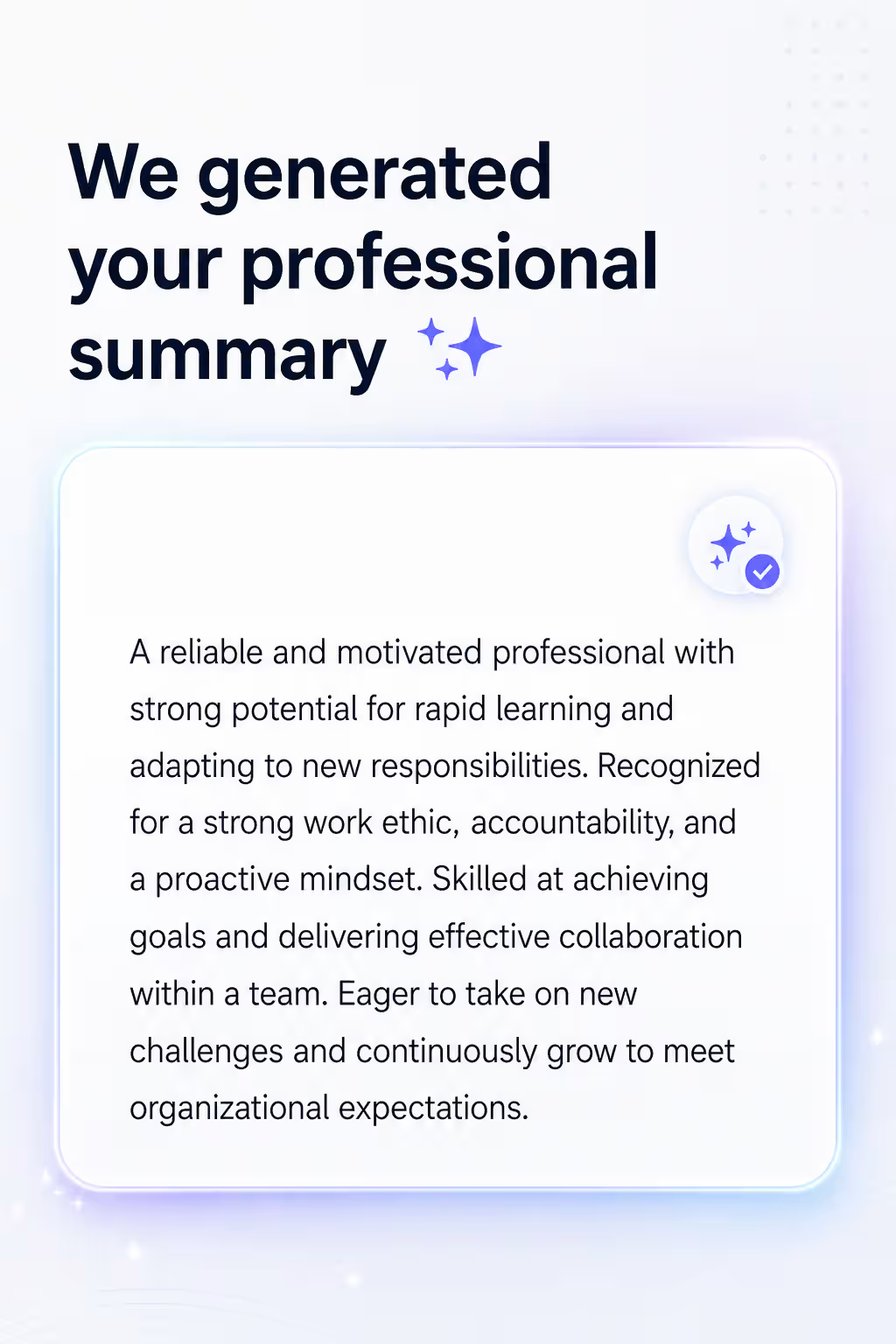
A professional summary is the first thing a recruiter sees. Our resume builder analyzes your experience and automatically suggests ready-made text – concise, specific, and matched to the position.
You don't waste time coming up with the perfect intro. You review the suggestion, adjust a few words, and have a ready-made intro in a minute – that's how a smart resume builder works.
This means the summary section stops being stressful. The resume builder does most of the work for you, and you can be sure the document starts with a strong point.
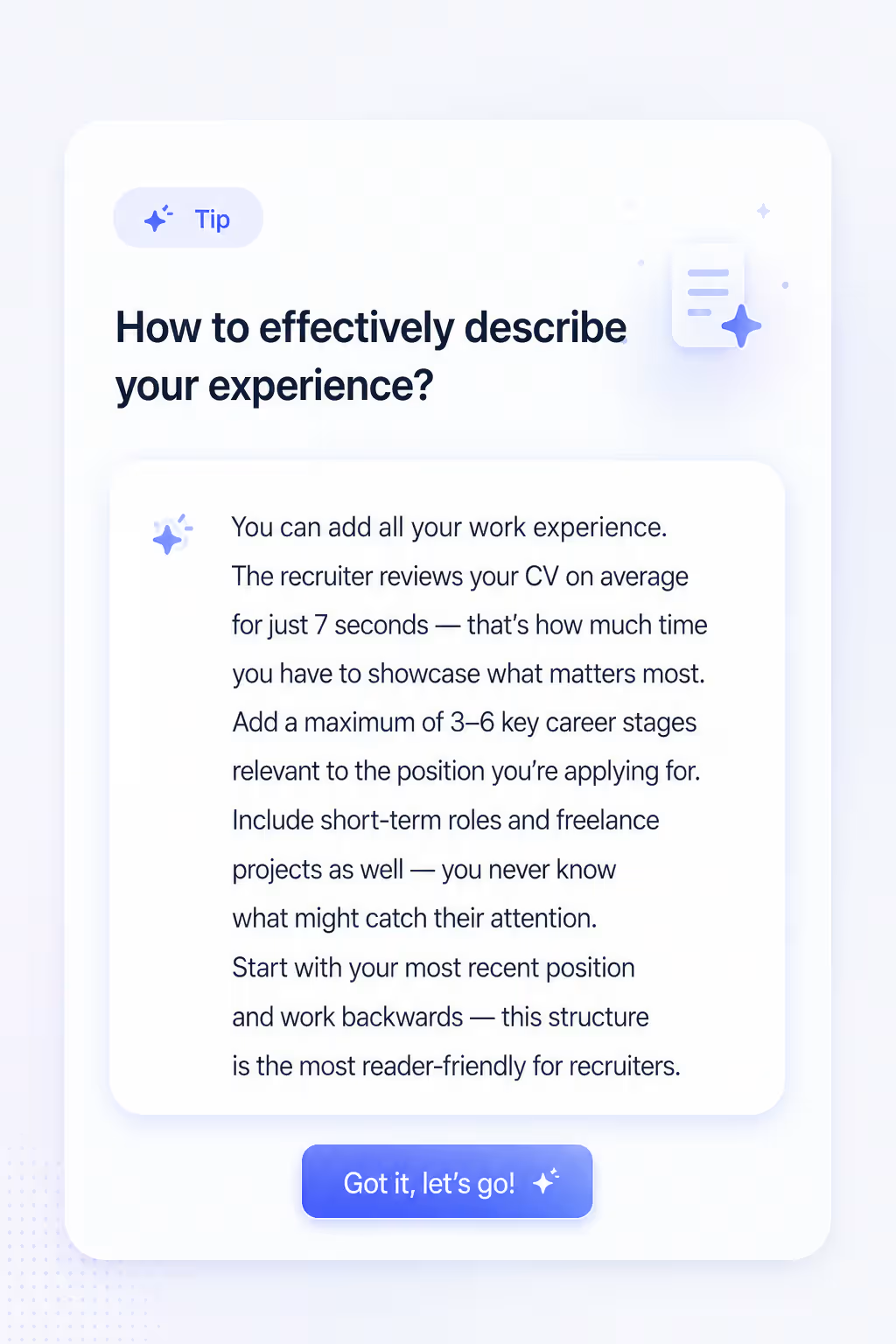
For every section, the resume builder displays practical advice from HR specialists. Each tip relates to a specific part of the document – you know exactly what recruiters expect and how to phrase your experience.
The tips cover both content and form: what to write, what to avoid, and how to phrase sentences so your resume stands out from others. The resume builder guides you step by step.
It's as if a career advisor were standing next to you – only faster, more convenient, and completely free, right in the resume builder window.
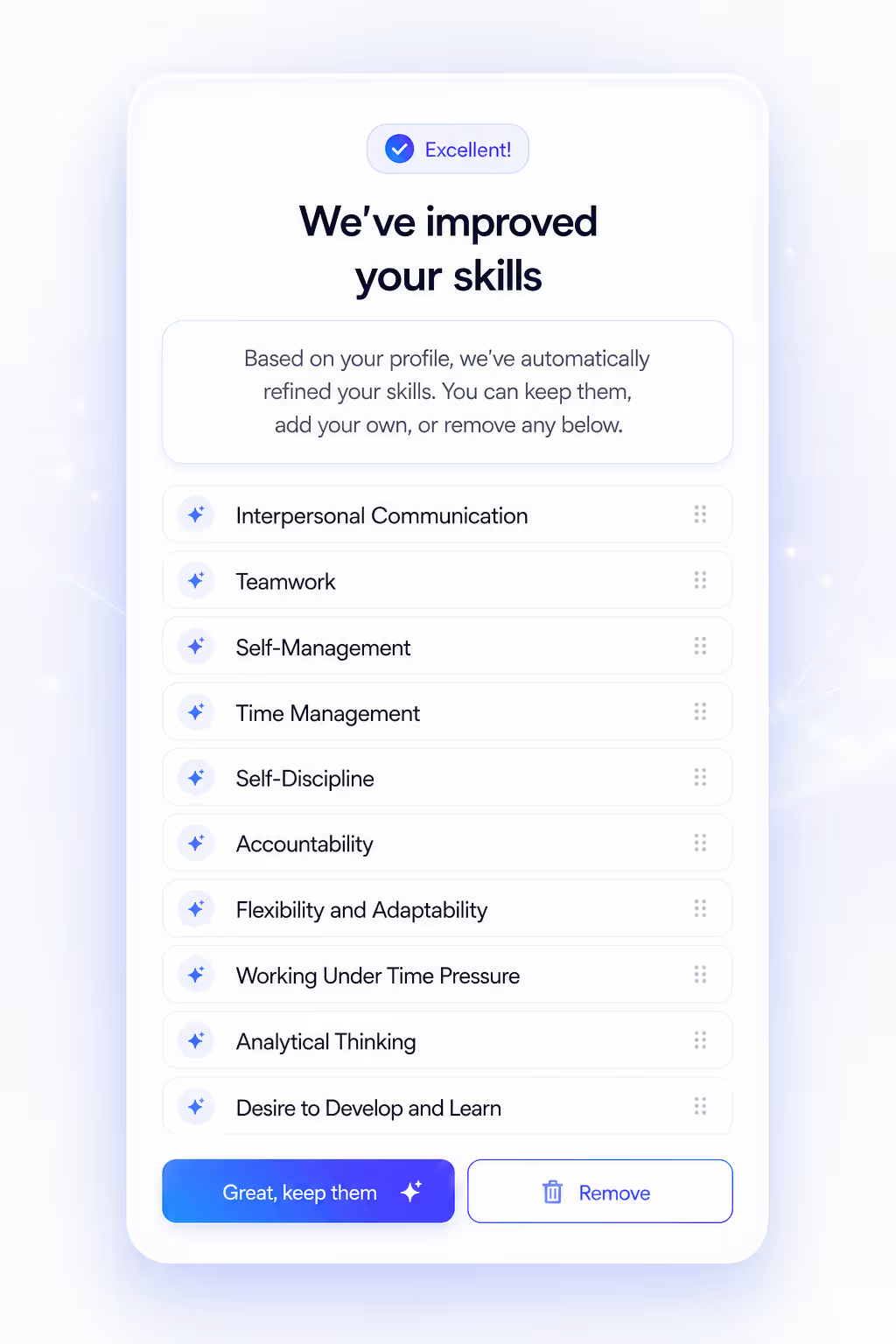
The skills section is a key element for ATS systems. Our resume builder analyzes the position you're applying for and suggests specific hard and soft skills worth including in the document.
This helps you avoid generic phrases and instead show exactly what the employer is looking for – realistically increasing your chances of an interview invitation. The resume builder shows you how to effectively pass automatic screening.
Of course, you have full control over the list – you can add your own suggestions, remove irrelevant items, and arrange them in any order. That's how a flexible online resume builder works.
User Reviews
Faster document creation, clear templates, and genuinely better responses from recruiters.
4.8/5
Average tool rating
87%
of users finish their resume in under 15 minutes
1200+
positive reviews from candidates
★★★★★
I used to struggle with Word and the formatting kept falling apart. Here everything was ready, and after swapping in my content the resume looked very professional.
Megan, Administrative Specialist
★★★★★
The best part was the AI suggestions for responsibilities. My resume finally sounds specific and tailored to the role, instead of a list of random tasks.
Peter, Warehouse Worker
★★★★★
I made my resume on my phone on the way to work, and 2 days later I had my first interview invitation. A very simple process and a great final result.
Anne, Sales Assistant
The set of sections and their order is not a matter of taste — a recruiter scans the document in seconds and looks for particular things in particular places. The builder walks you through each of them and suggests what to write.
Name, phone, email and city. No full street address and no date of birth — an employer does not need that at this stage.
Three or four sentences at the very top: what you do, how much experience you have and what you bring. It is the one part a recruiter will definitely read.
Most recent role first. Instead of copying duties out of your contract, give concrete results and scale: how many people, what budget, how much faster.
Institution, course and years. The longer your work history, the further down this section goes and the shorter it gets.
Hard skills first — software, licences, machinery. Soft skills only where you can back them with an example from your experience.
With a level from a recognised scale, not “conversational”. If the role depends on a language, move this section up.
Especially important in technical and transport roles, where a licence can be the condition for being allowed to work at all.
Some employers cannot legally process your application without it. The builder inserts current wording automatically.
You do not have to remember any of this. The builder orders the sections to suit your level of experience and shows an example and a tip next to every field.
A job search is never one document. It is a version for the logistics advert, another for the warehouse role, a third in English and a fourth revised after an interview that taught you something.
That is why downloads are unlimited on every plan — including the free one, where the document carries a watermark. On paid plans the watermark disappears and you still download with no counter and no per-file charge.
You can come back to the document whenever you like. A year from now you add the new role and download a current resume instead of rebuilding the formatting from scratch.
An online resume builder is a browser-based tool that guides you through creating a professional document step by step – without needing to install programs or manually format anything.
Yes. You can use the resume builder for free – fill in your details, choose a template, and download the finished resume as a PDF with no hidden costs to start.
For people at any career stage: students looking for their first job, professionals changing industries, and candidates returning to the job market after a break.
No. You can start with a blank template and fill it in from scratch. The builder will suggest what to write in each section, so even without prior resume-writing experience you'll manage just fine.
You can prepare a first version of your resume in 15–30 minutes. The builder automatically handles the formatting, so you focus only on the content.
Yes. The templates available in the builder are designed with ATS readability in mind – they have a clear structure and avoid elements that ATS systems often misread.
The builder supports all standard sections: contact details, professional summary, experience, education, skills, languages, and certifications. You can freely turn them on and off.
Yes. You can return to the builder anytime, change the content or template, and download an updated document – useful when applying to different positions.
You can download your resume as a PDF, which keeps the original layout regardless of the recipient's operating system or device.
In practice there is none — the two names are used interchangeably for the same browser-based tool. Where people do draw a line, “generator” refers to features that propose content and “builder” to editing the layout. RovoCareer combines both.
Yes. It runs in a mobile browser with no app to install. Both the form and the document preview adapt to a smaller screen, so you can complete and download your resume from a phone.
Yes. Instead of an employment history you lead with education, internships, student projects and volunteering. The builder lets you switch the experience section off and reorder the rest so the document does not look empty.
You download the document as a PDF, which holds its layout for every recipient. Further changes are made in the builder and you download an updated file — that way the formatting never breaks the way it does after editing in a word processor.
Yes. For each position you only enter the job title and company, and the builder proposes ready-made bullet points describing your duties. You can keep, edit or regenerate any of them — a change history lets you go back to an earlier version.
A CV downloaded for free carries a watermark. The version without it is paid — you then get a clean PDF file, ready to send to an employer.
Yes. The translation covers not only the content but also the section names, including the ones you renamed yourself. You can review and correct every translation before downloading the document.
There are 20 templates and none of them is tied to a single industry. In IT, any layout with a clear structure and room for projects and technologies works — what to put in such a CV is covered separately on the blog.
One that translates the whole document, not just the body text. A foreign recruiter scans the section headings first — a Polish „Doświadczenie zawodowe” left above English text looks like a rushed document. With RovoCareer you fill the CV in once and generate the English, German or Dutch version from it in one click, section headings included. The layout and template stay the same, and the original is saved separately, so you can send both versions.