Online Cover Letter Builder
The cover letter builder combines your resume with the job posting and uses both to prepare a finished letter tailored to that specific position. You can refine the text in the editor, apply one of the ready-made templates and save it to your account.
How does the cover letter builder work?
The cover letter builder is a browser-based tool that prepares a letter from two documents: your resume and the job posting you are applying to. From the resume it takes your contact details, experience, education and skills; from the posting, the job title, company name and the employer’s requirements.
The result is a letter in the structure hiring managers expect: recipient details, an introduction, a paragraph on how you fit the role, a paragraph about the company and a closing. Each paragraph refers to specific requirements from the posting, so the letter is not a generic text that could be sent to any employer.
The finished letter opens in an editor where you can change the content, tone and template, and then save the document to your account. If you do not have a resume yet, you can create one in the resume builder, since it is the foundation of the letter.
How to write a cover letter online, step by step
The whole process takes place in your browser. Choosing a resume, pointing to the job posting and adjusting the settings all happen on a single screen, and after you click “Generate Cover Letter” the builder shows three stages of work: analyzing your resume, retrieving the posting and writing the letter.
- 1
Choose the resume to base the letter on
You can upload a file in PDF, DOCX, DOC, RTF, ODT or TXT format, or select a document saved to your account. Once you are signed in, the builder immediately shows a list of your resumes with a thumbnail, job title and the date of the last edit.
- 2
Point to the job posting
Paste a link to the job ad or copy its text directly into the builder. Links work with major job sites, including LinkedIn, Indeed, ZipRecruiter, Glassdoor and Monster.
- 3
Set the tone and length
You can choose a formal, friendly or enthusiastic tone and one of three letter lengths. Settings can be changed later and the letter generated again.
- 4
Refine the letter and save it
You edit the finished text directly in the preview, choose a template, color and font, and then save the letter to your account. A saved document can be edited and downloaded later.
What the builder does with your resume and the job posting
The quality of a cover letter depends on the information it is built from. That is why the builder relies on the content of your resume and the requirements stated in the posting.
The cover letter builder works from your resume
You can upload your resume in one of six formats (PDF, DOCX, DOC, RTF, ODT or TXT, up to 5 MB) or select one of the documents saved to your account. From the document, the builder reads your name, email address, phone number and city, which go into the letter header, as well as your job titles, responsibilities, education, skills and languages.
The uploaded file is read as is, without enhancements and without added responsibilities. As a result, the letter refers only to experience you actually have on your resume and contains no claims you could not back up in an interview.
The more complete your resume, the more specifics make it into the letter: job titles, scope of responsibilities and achievements. Before generating the letter, it is therefore worth adding internships, volunteer work or projects to your resume, especially if you are applying for your first job.
Job posting as a link or pasted text
Links to job ads work with major job sites, and the builder retrieves the full text of the posting. If a site blocks automatic retrieval, the builder switches to the “Paste Content” field and asks you to copy the posting manually, which is fully sufficient to prepare the letter. This also lets you use a job description received by email or published on a company website.
From the posting, the builder reads the job title, company name and requirements, and matches each paragraph to them. The job title is cleaned of extras such as location, work arrangement or company name, so a title like “Java Developer (Austin, TX – Hybrid) – Fintech” becomes simply “Java Developer” in the letter.
The hiring manager’s name is added to the recipient block only when it appears in the posting. The builder does not guess names, so the letter never opens by addressing the wrong person.
Tone and length to suit the position
The formal tone uses courteous phrasing and an impersonal style suited to banks, law firms, public administration and large corporations. The friendly tone is warmer and more personal while remaining professional. The enthusiastic tone puts more emphasis on motivation and works well for startups, sales and roles where energy matters.
The letter length can be set to short, standard or extended. A short letter has paragraphs of 2–3 sentences, a standard one 3–4, and an extended one 4–5 sentences. The standard length suits most job postings, while the short version works well when the letter goes directly into the body of an email.
The letter is always written in English, even if your resume is in another language, so an existing resume can serve as the basis for an English cover letter without any extra work. If you also need the resume itself in English, you can prepare it with the resume translation tool.
A cover letter structure hiring managers recognize
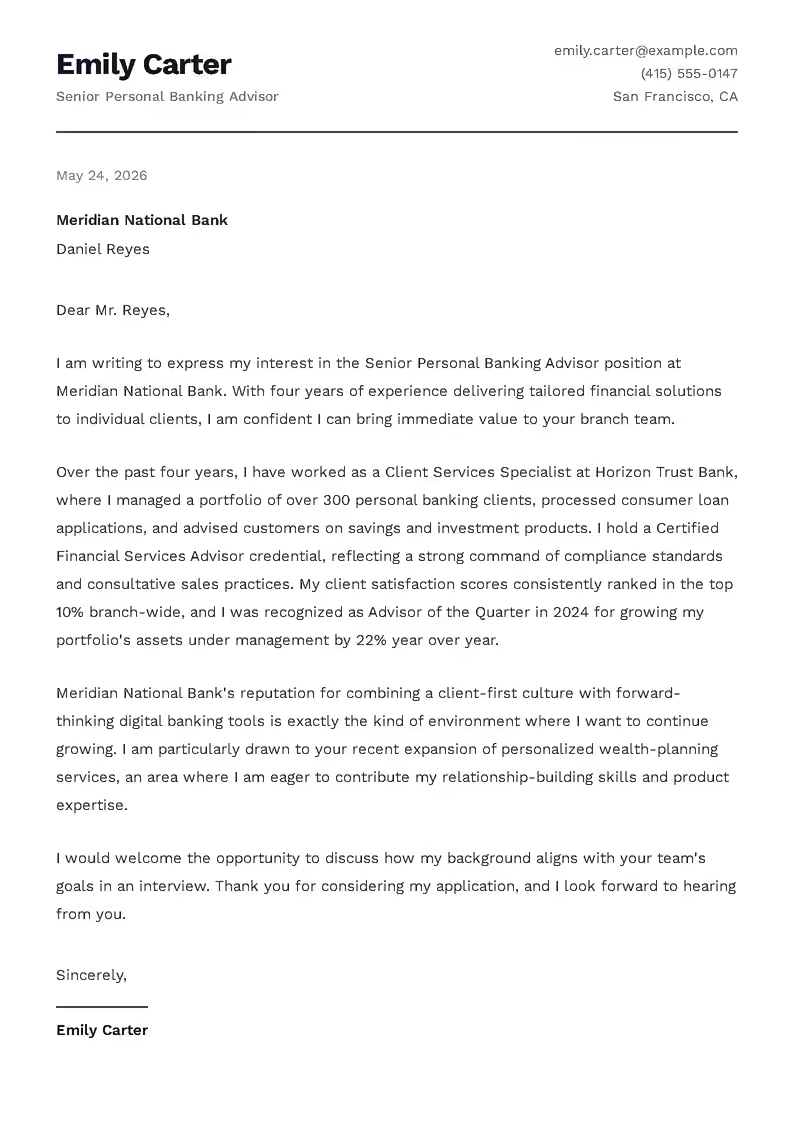
The letter consists of six elements: recipient details and greeting, an introduction, a paragraph on how you fit the role, a paragraph about the company, a closing with a request for an interview, and a sign-off with your signature. This structure follows the way a hiring manager reads the document: first checking who the candidate is, then whether they fit the job, and finally what the next step should be.
The most important part is the paragraph on how you fit the role. It is built on specific achievements and skills from your resume, matched against the requirements in the posting, without generic phrases like “I am a strong communicator.” If the job calls for skills your resume does not include, the builder does not add them; instead, it focuses on skills transferable from your previous positions.
The signature uses only the name from your resume. If the resume does not include one, the letter is written impersonally. A detailed breakdown of every paragraph is available in our guide to writing a cover letter.
Cover letter editor: refine the text before you save it
The generated letter is a starting point, not a document set in stone. You edit every paragraph directly in the preview: simply click the text and make your changes, without a separate form or edit mode.
The “Text Style” switch lets you create a new version of the letter in a formal, friendly or enthusiastic style, based on the same resume and the same job posting. Versions that have already been generated come back instantly, with no further waiting.
If you want to change the letter length or the job posting, simply return to the builder and generate the letter again. This way, one resume can serve as the basis for a separate letter for every job you apply to.
- Edit the text directly in the preview
- Three text styles from the same information
- Return to the builder and generate again
What to check in your cover letter before sending it
The builder prepares a complete text, but the person sending it is responsible for its content. Before saving the document, it is worth going through a few points that have the greatest impact on how a hiring manager perceives the letter.
- 1
Company name and job title
Both should match the posting and be spelled correctly. A typo in the employer’s name is immediately noticeable.
- 2
Consistency with your resume
Every sentence in the paragraph on how you fit the role should be reflected in your resume and be something you can confirm in an interview. The builder is instructed to use only information from your resume, but you approve the final text.
- 3
The company paragraph
It is based on the job posting, so it is best to add one specific detail that could not be reused in a letter to another employer: a product, a project, a value mentioned in the posting or the reason this particular company interests you.
- 4
Numbers and scale
If your resume lacks numbers, consider adding them to the experience paragraph: the number of clients served, the size of your team or the value of a budget. A concrete sense of scale makes the letter more credible.
- 5
Length
The letter should fit on a single page, which in practice means around 250–400 words. If the text runs long, shorten the company paragraph first and only then the experience section.
Refining a ready-made text takes far less time than writing a cover letter from scratch, and after these few adjustments the document is ready to save.
Professional cover letter templates
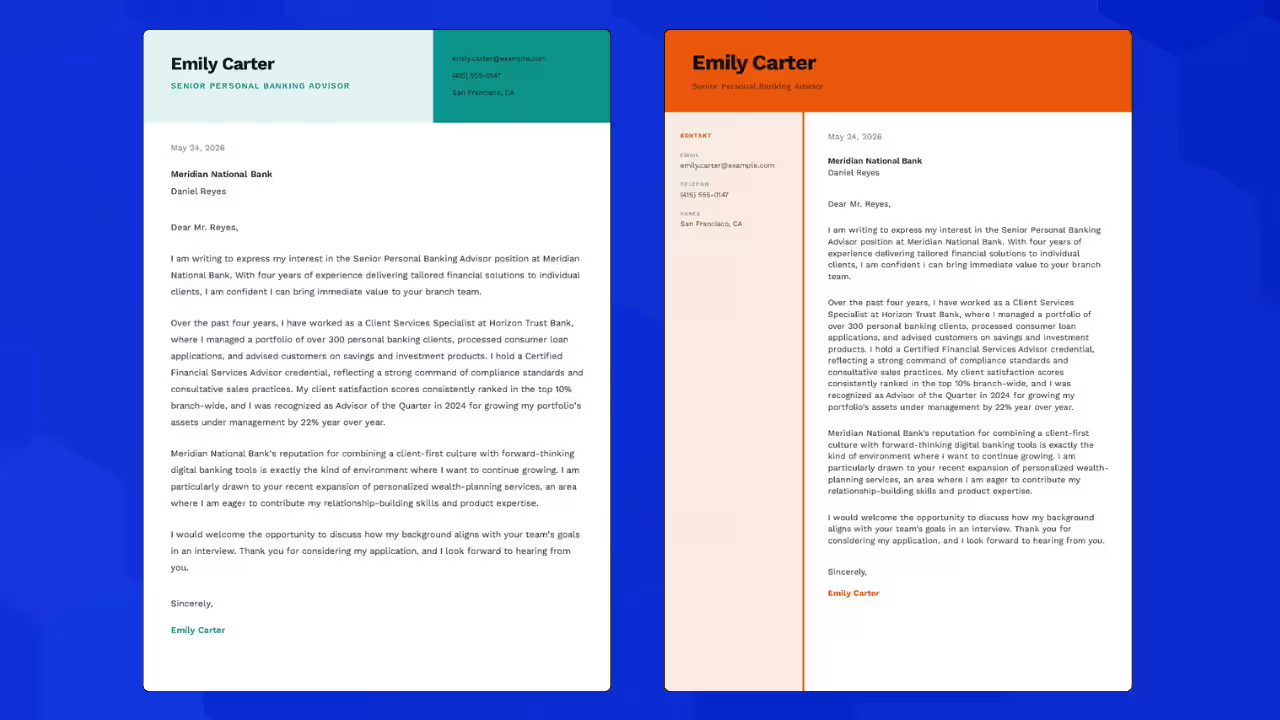
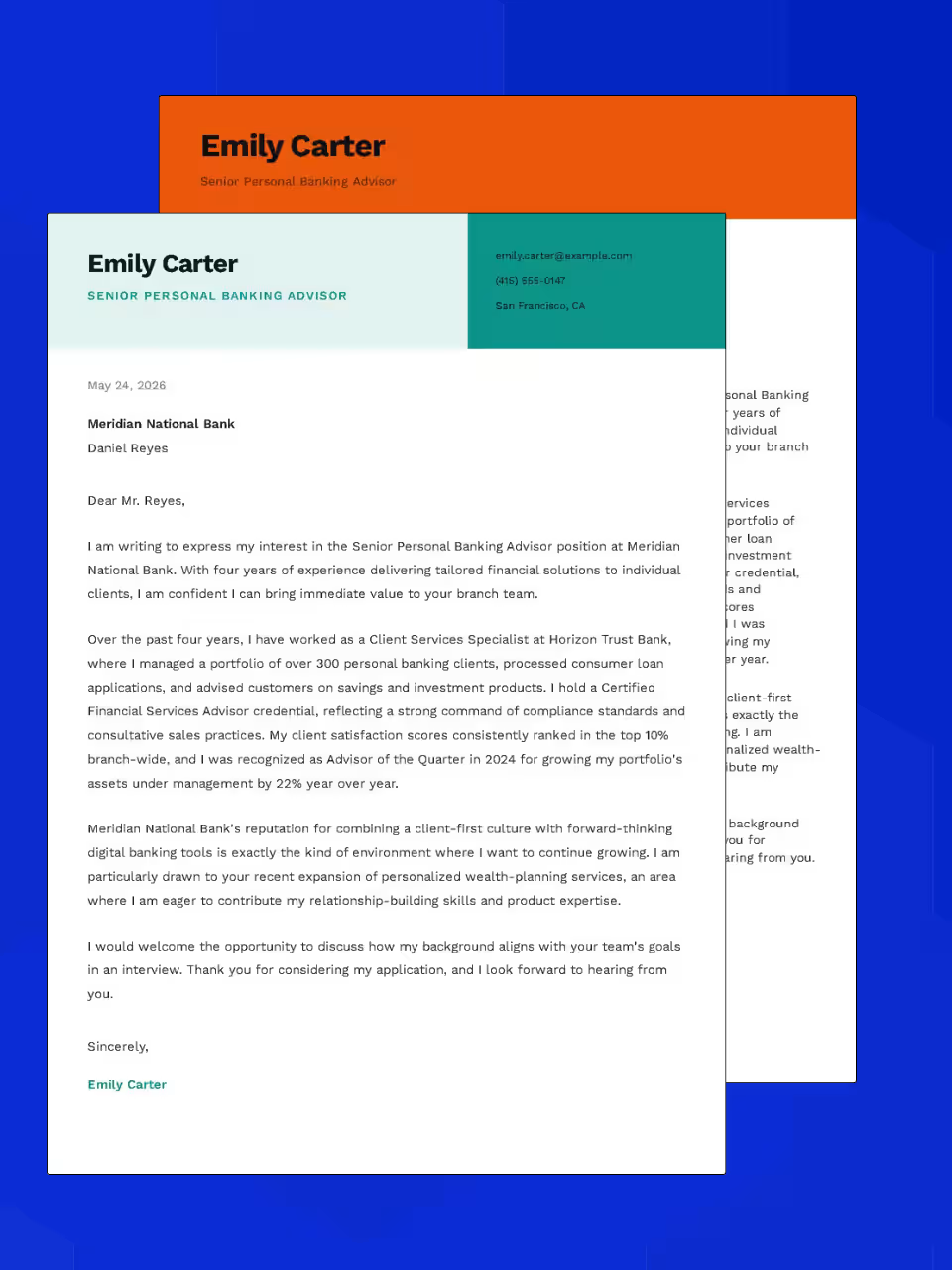
The builder offers 10 cover letter templates with different header layouts, contact detail panels and color schemes: from classic, through versions with a sidebar, to minimal. You can switch templates with a single click without losing your content. Since the letter reaches the hiring manager together with your resume, it is worth choosing a template and color that make both documents look consistent.
Each template has a default color scheme and a palette of colors to choose from, and the color is set separately for each layout. You can also change the font family and size (from 85% to 116%), font weight and section spacing, and choose one of five margin options, from narrow to very wide.
The builder also makes sure the letter fits on a single page. If the text is too long, it first reduces the line spacing and only then the font size, to no less than 85%. If that is not enough, choose a shorter version of the letter or shorten the company paragraph.
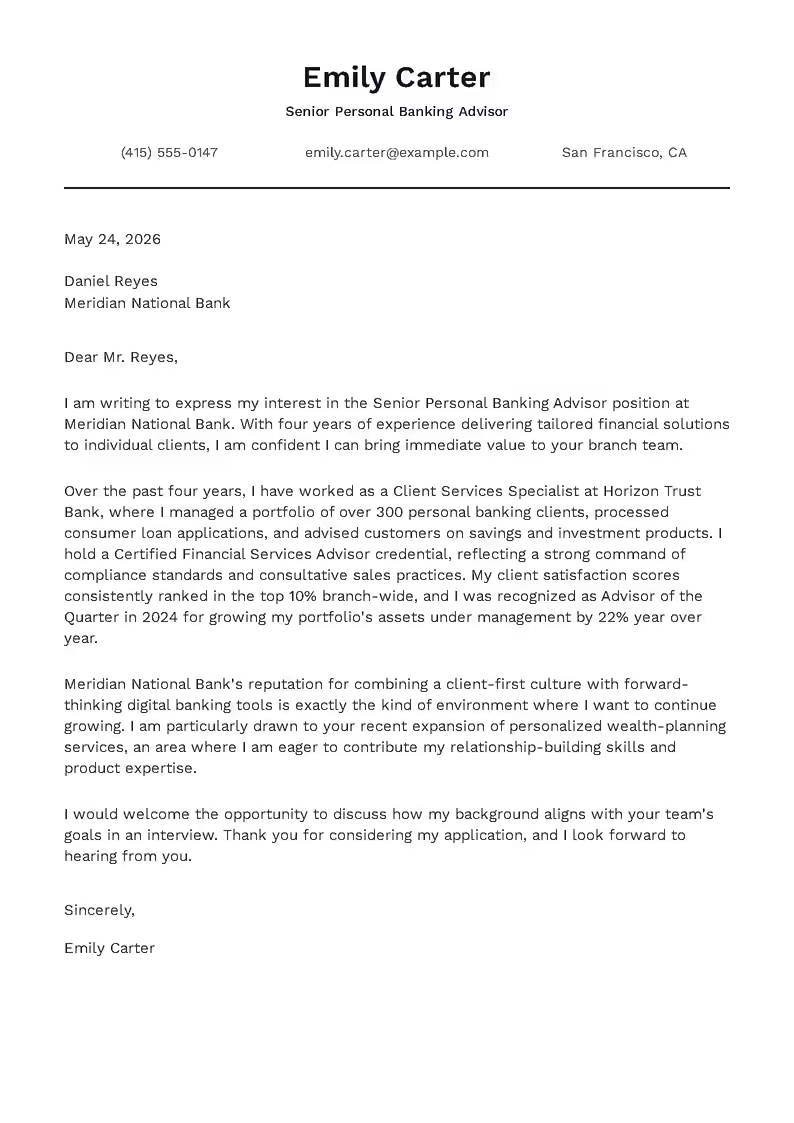
Classic 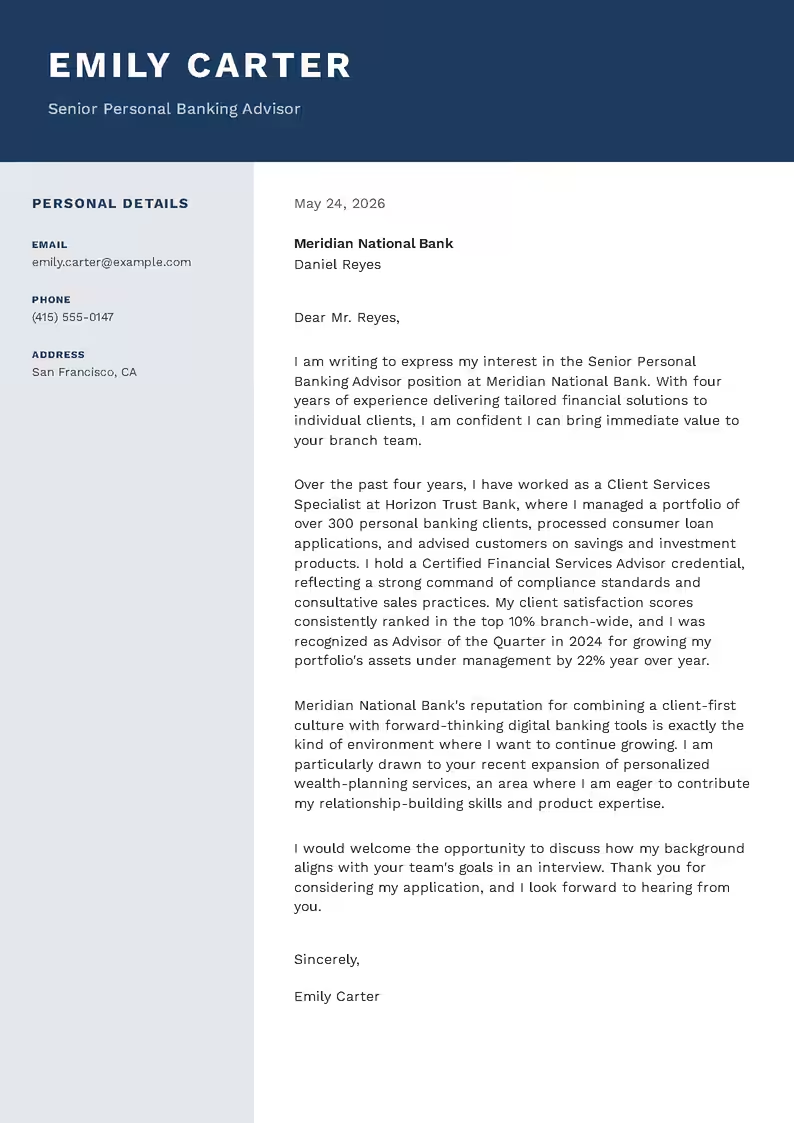
Modern 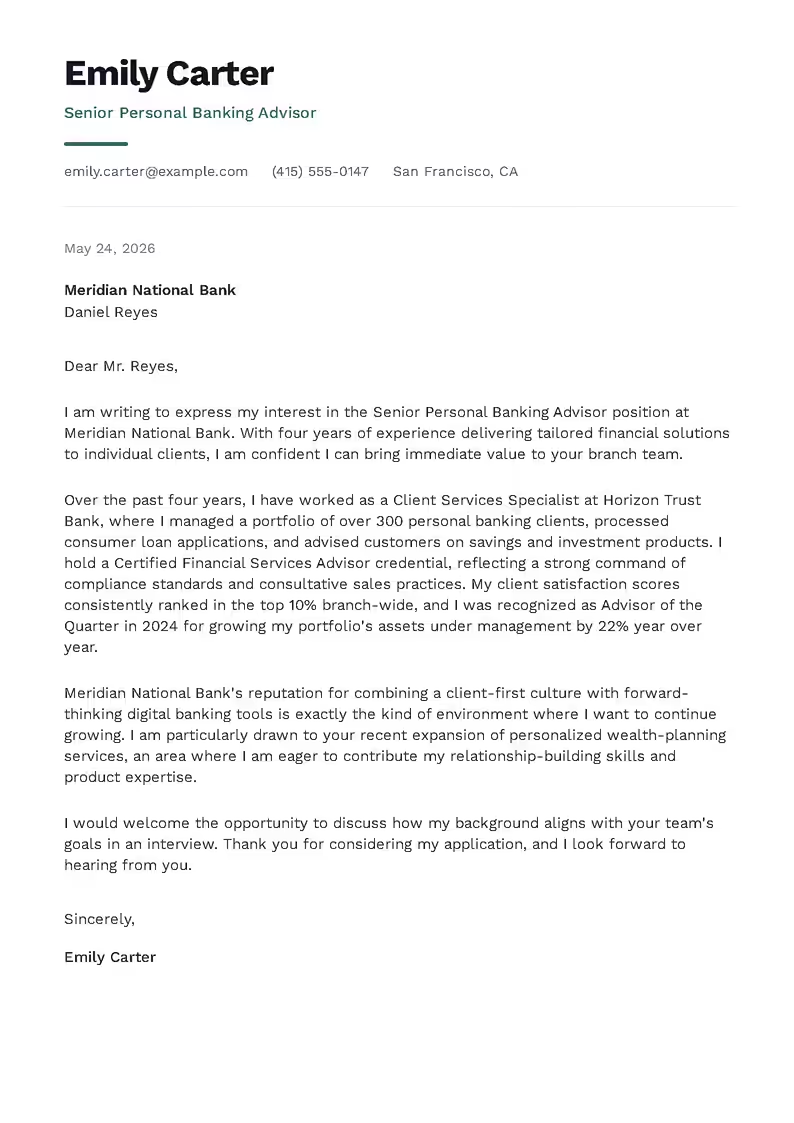
Green 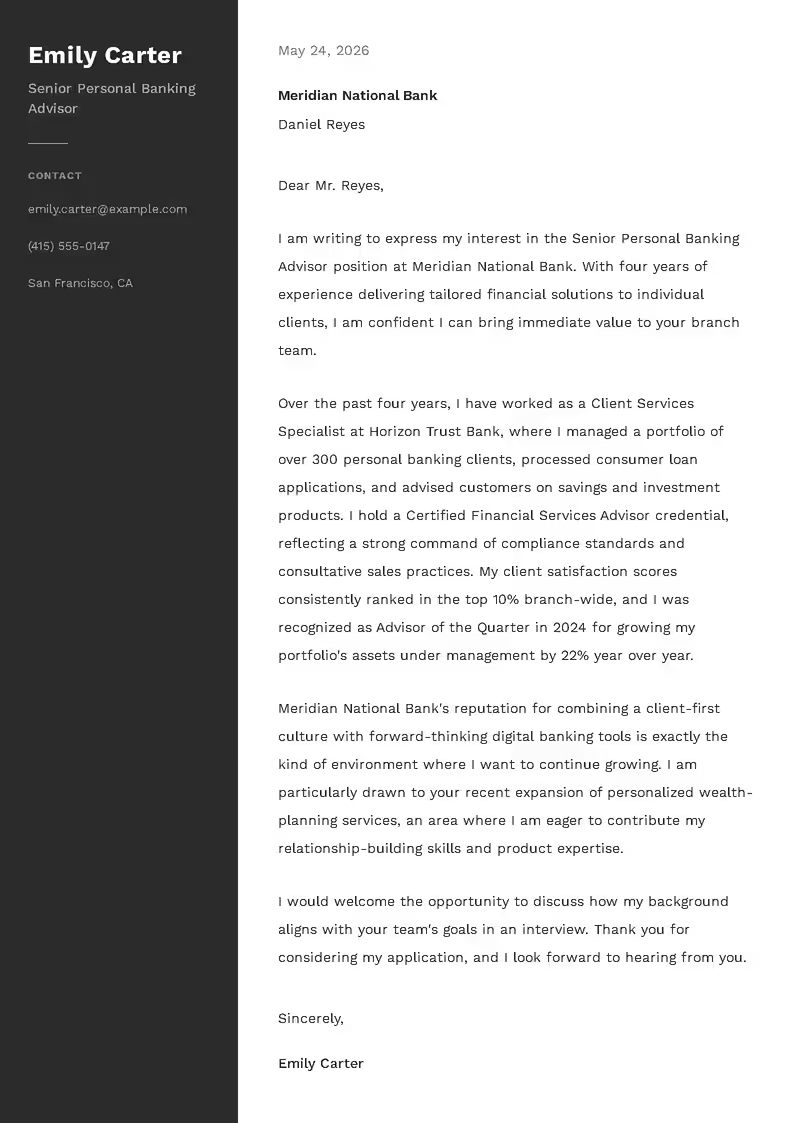
Dark 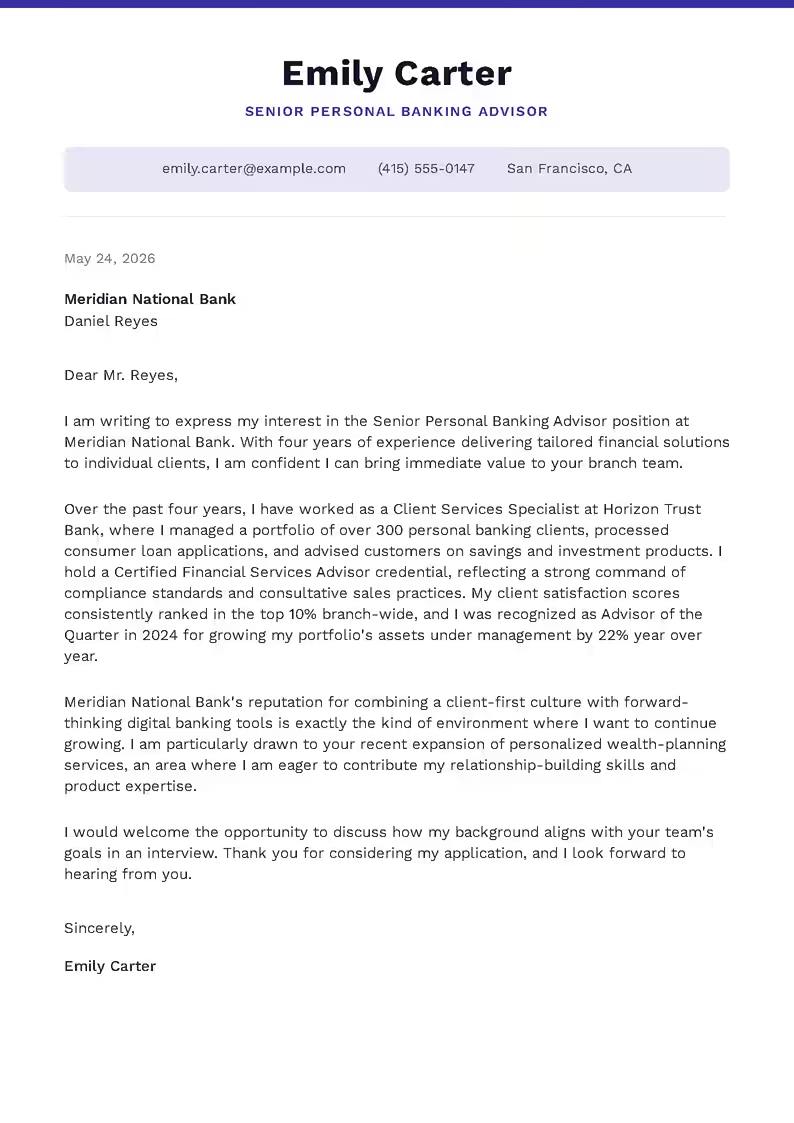
Indigo 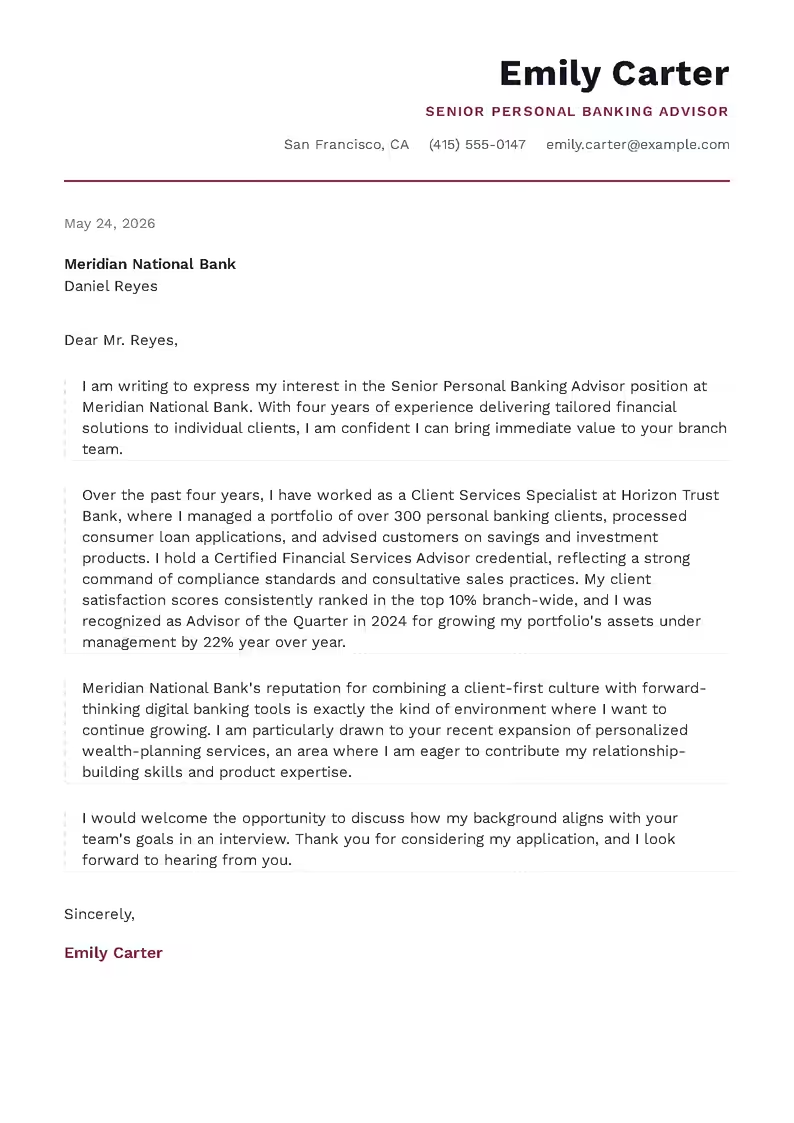
Burgundy 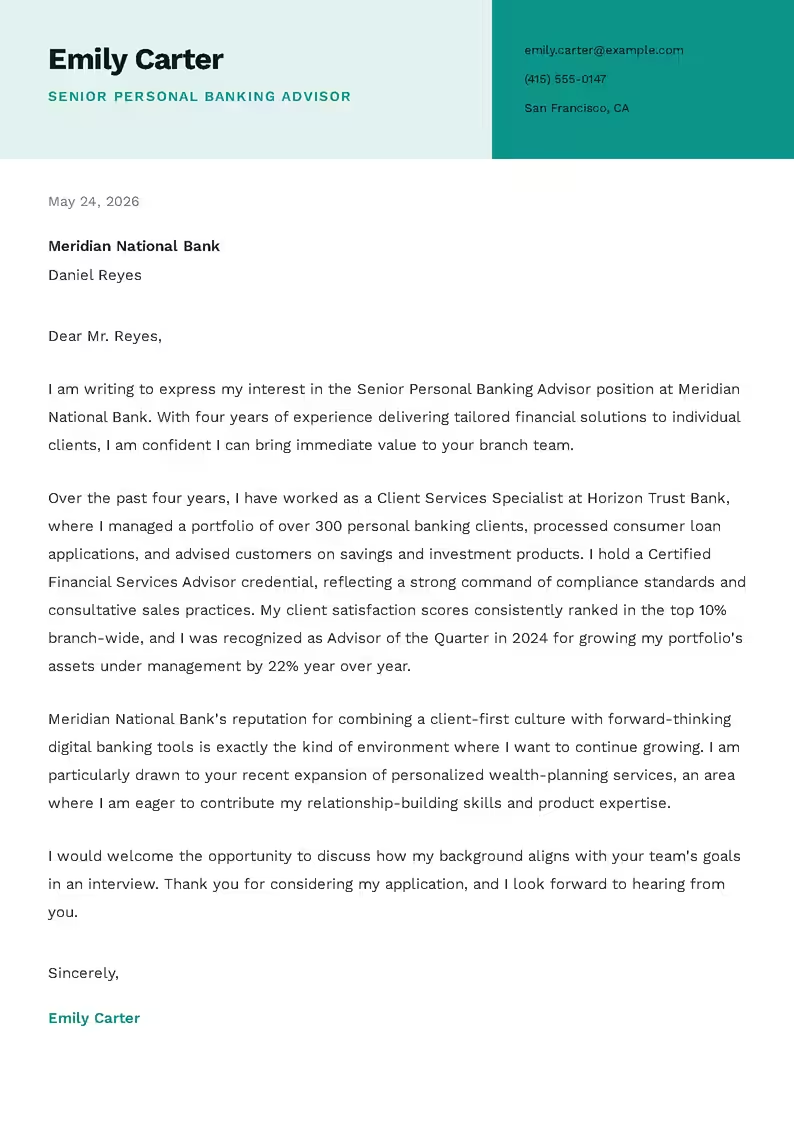
Teal Slate 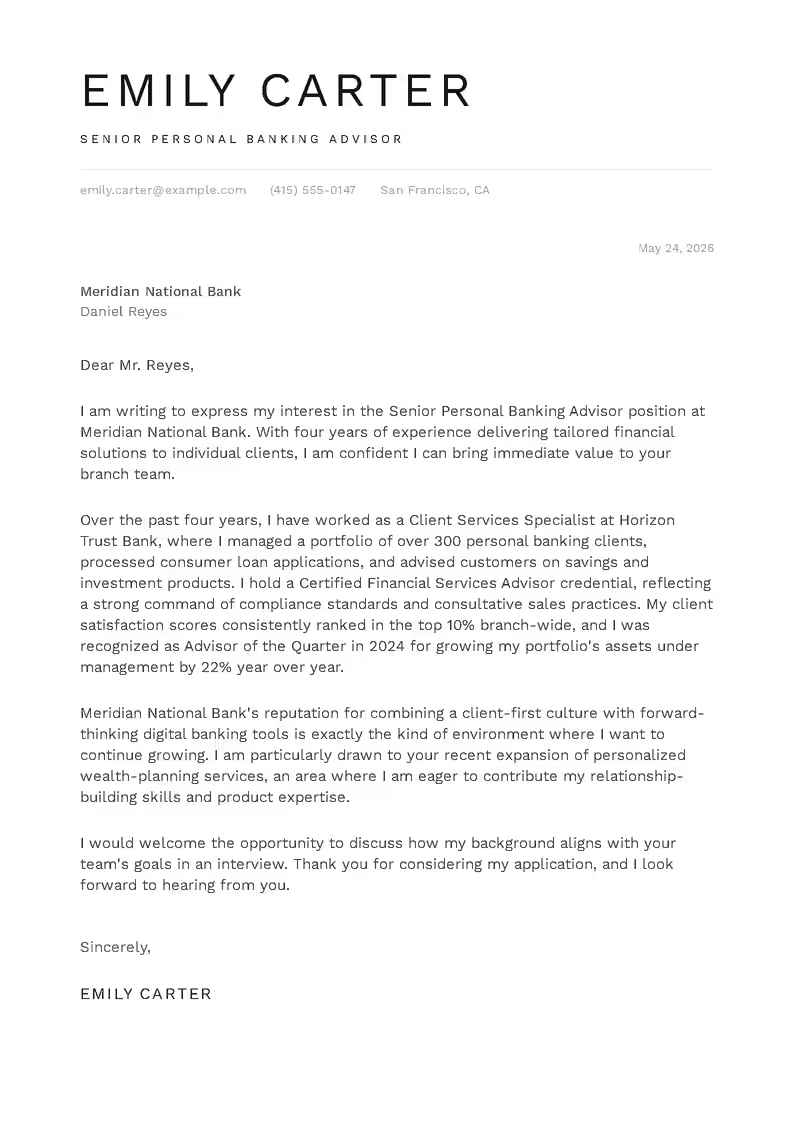
Minimal 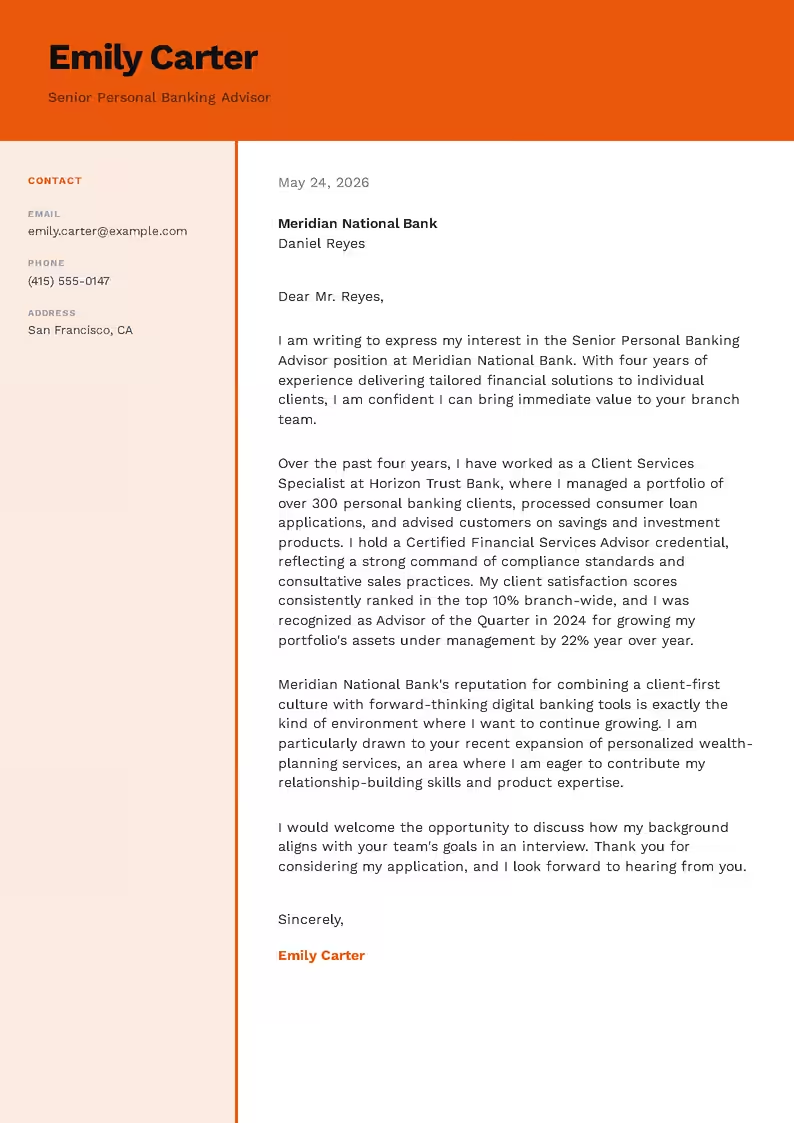
Orange
Saving your letter and downloading it as a PDF
Generating the letter, editing the text and changing the template are free. Saving the document requires an account, but the sign-in window only appears after you click “Save Letter,” so you do not need to create anything until then. Once you sign in, the letter is saved automatically.
Saved letters are available in your account dashboard, under documents, in the cover letters section. You can return to them at any time, edit the content and prepare new versions for other job postings.
Downloading the cover letter as a PDF is available on a paid plan. Current prices and plan options are listed on the pricing page.
- Free generating and editing
- Save and return to your letter from your account
- PDF download on a paid plan
Who the cover letter builder is for
The builder combines your resume with the job posting in every situation; what differs is what the candidate has on their resume and what the employer expects. Below are the most common cases.
First job
If your resume has no full-time positions, the builder bases the letter on internships, volunteer work, projects and courses. It is worth completing these sections before generating the letter, as the builder does not add experience that is not in your resume.
Career change
When the job is in a different field from your previous positions, the builder highlights transferable skills such as customer service, responsibility for budgets and deadlines or experience with a specific system. It is worth adding one sentence in the editor explaining why you are changing direction.
Returning after a break
The letter is based on the experience and skills in your resume, not on the gap in employment. If you want to explain it, one factual sentence added in the editor is enough.
Applying to several jobs
You upload your resume once, then select it from your account for each new letter and change only the link to the posting. Each letter is based on the requirements of a different job, so it differs in content, not just in the company name. You can tailor the resume itself beforehand with the resume-to-job matching tool.
Resume in another language
If your resume is written in a language other than English, the builder still writes the cover letter in English. This makes it possible to apply for English-language positions with the resume you already have.
Do you need a cover letter?
If the job posting asks for a cover letter, you should include one, because an application without it is incomplete.
When the posting does not mention a cover letter, it is not required, and application forms often ask only for a resume. A letter is still worth including when it conveys information your resume does not show: a career change, a return after a break, a referral from a company employee or an exceptionally strong match with one of the job requirements.
If there is no such information, it is better to send a well-prepared resume on its own than a letter that merely summarizes it. A good cover letter adds new information to the application rather than repeating a document the hiring manager already has in front of them.
Your cover letter and resume as one set of documents
Hiring managers read the resume and cover letter one after the other, so inconsistencies in job titles or employment dates are noticed immediately. It is best to prepare the resume first, as it organizes the facts, and then the letter that draws on them.
Resume builder
You fill in the sections one by one, see a live preview of the document and save the resume to your account, where you can later select it as the basis for your letter.
Open the resume builder →Match your resume to a job
The tool compares the job posting with your resume and shows which keywords are missing. A tailored resume and a cover letter prepared for the same posting form a consistent application.
See how matching works →Resume translation
Your entire resume, including section headings, can be translated into another language while keeping the layout and formatting.
Translate your resume →Guide: how to write a cover letter
Cover letter format and structure, how to open, write the body and close the letter, a full template you can copy, common mistakes and a checklist before sending. Useful both for writing a letter yourself and for reviewing the text from the builder.
Read the guide →Write a cover letter for a specific job
Upload your resume, paste a link to the job posting and see the letter the builder prepares. Generating and editing are free.
Open the cover letter builder →Frequently asked questions about the cover letter builder
What is an online cover letter builder?
An online cover letter builder is a browser-based tool that uses your resume and the job posting to prepare a finished letter tailored to a specific position. You can refine the text in the editor, choose a template and save the document to your account.
Is the cover letter generator free?
Generating the letter, editing the text and changing the template are free. Saving the document requires an account, and downloading the letter as a PDF is available on a paid plan. Current prices are listed on our pricing page.
Do I need a resume to generate a cover letter?
Yes, because the letter is based on the information in your resume. You can upload a file in PDF, DOCX, DOC, RTF, ODT or TXT format or select a resume saved to your account. If you do not have a resume yet, you can create one in the resume builder.
Which job sites can the builder retrieve postings from?
The builder retrieves postings from LinkedIn, Indeed, ZipRecruiter, Glassdoor, Monster and many other sites. If a site blocks automatic retrieval, simply paste the text of the posting manually.
Does the builder add information that is not in my resume?
The builder is instructed to use only facts from your resume and add nothing, and the uploaded document is read as is, without enhancements. Even so, it is worth reading the whole letter before sending it, because the person who signs it is responsible for its content.
What language will the letter be written in?
In English. The builder always writes the cover letter in English, even if your resume is in another language.
How long should a cover letter be?
The ideal length is a single page, or around 250–400 words. In the builder you can choose a short, standard or extended length, and if the text does not fit on the page, the builder reduces the line spacing and font size, to no less than 85%.
Can I change the tone after the letter is generated?
Yes. On the results screen you can switch the text style to formal, friendly or enthusiastic, and the builder prepares a new version based on the same resume and job posting. Versions that have already been generated come back without any further waiting.
Can I edit the content of the letter?
Yes. You edit each paragraph directly in the preview by clicking the text.
Will a letter from the builder sound generic?
Each letter is based on your resume and a specific job posting, so two people applying for the same position receive different texts. The paragraph about the company carries the greatest risk of sounding generic, as it is based solely on the posting, so it is worth adding one specific detail about the employer.
Do I need a cover letter if the job posting does not ask for one?
It is not required, but it is worth including if you want to share information your resume does not show, such as a career change, a return after a break or a referral. In other cases, a well-prepared resume is enough.
Does the cover letter builder work on mobile?
Yes. The builder works in your phone’s browser and does not require installing an app. Appearance options such as templates, color, font and layout are available in panels that slide up below the preview.
Where can I find my saved cover letters?
In your account dashboard, under documents, in the cover letters section. You can return to them, edit them and download them, with PDF downloads available on a paid plan.